

Comparison prepared by the VerificarEmails team. Because we are comparing our own service with a competitor, we explain how we ran the test and link each data point to its source so you can check it. Reviewed on 11 November 2026.
Short answer
With VerificarEmails you get the same practical result as with ZeroBounce and pay less at every volume we compared, from 1,000 to 100,000 emails. In our test with three real addresses, the two agreed: the Gmail mailbox is valid, and on the two catch-all domains neither can confirm the mailbox.
VerificarEmails also charges in euros, with no subscription, with packs valid for a year. It is a Spanish company that processes data in the European Union and, with the same account, verifies phone numbers, names and postal addresses. ZeroBounce charges in dollars.
| ZeroBounce | VerificarEmails | |
|---|---|---|
| Company | Hertza L.L.C. (Nevada, US) | Spanish company (Barcelona) |
| Website, documentation and dashboard in Spanish | No: English only | Yes |
| 10,000 emails | $129 ≈ €115 (pay-as-you-go) or $99 ≈ €88/month (subscription) | €65 (pack, no subscription) |
| 100,000 emails | $649 ≈ €579 or $449 ≈ €400/month | €345 |
| Other contact data | Email only (adds name and gender when it finds them) | Email, phone, name and postal address |
| Where data is processed | Frankfurt and New York; only in the EU if you use its EU endpoint | Servers in the EU |
| MCP for AI assistants | Local open-source server, with API key | Remote server with OAuth, nothing to install |
| Catch-all domains | Flags them as catch-all; Verify+ (optional) sends a real email to your contacts | Flags them as “inconclusive” so you can decide what to do with them |
| Unknown results | Not charged | 1 credit charged per record |
What this article compares
We compare the email address verification of the two services: one by one in the dashboard, by file, via API and from AI assistants (MCP). For each one we review what it checks, what it calls each result, what it charges and how much it costs to clean 1,000, 10,000, 50,000 and 100,000 addresses.
ZeroBounce’s deliverability tools are out of scope: domain warm-up, inbox placement tests, and blacklist and DMARC monitoring. They are useful, but they are not email verification, and VerificarEmails doesn’t offer them.
- VerificarEmails suits companies that buy credits when they need them and want to pay in euros with no subscription. It also suits those who want their data kept in the EU or who verify phone numbers, names or postal addresses as well as emails.
- ZeroBounce suits teams that pay a monthly subscription in dollars and connect verification to many tools in their stack.
Hands-on test: the same sample in both services
We verified the same three real addresses, all our own, in both services:
- a personal Gmail mailbox;
- a corporate mailbox on our own domain configured as catch-all, meaning it accepts any address;
- a personal Yahoo Spain mailbox.
In ZeroBounce we used the dashboard’s single validation. In VerificarEmails, the MCP server and then a CSV file upload with the same addresses.
| Address | VerificarEmails | ZeroBounce |
|---|---|---|
| Personal Gmail mailbox | ok (valid) | valid |
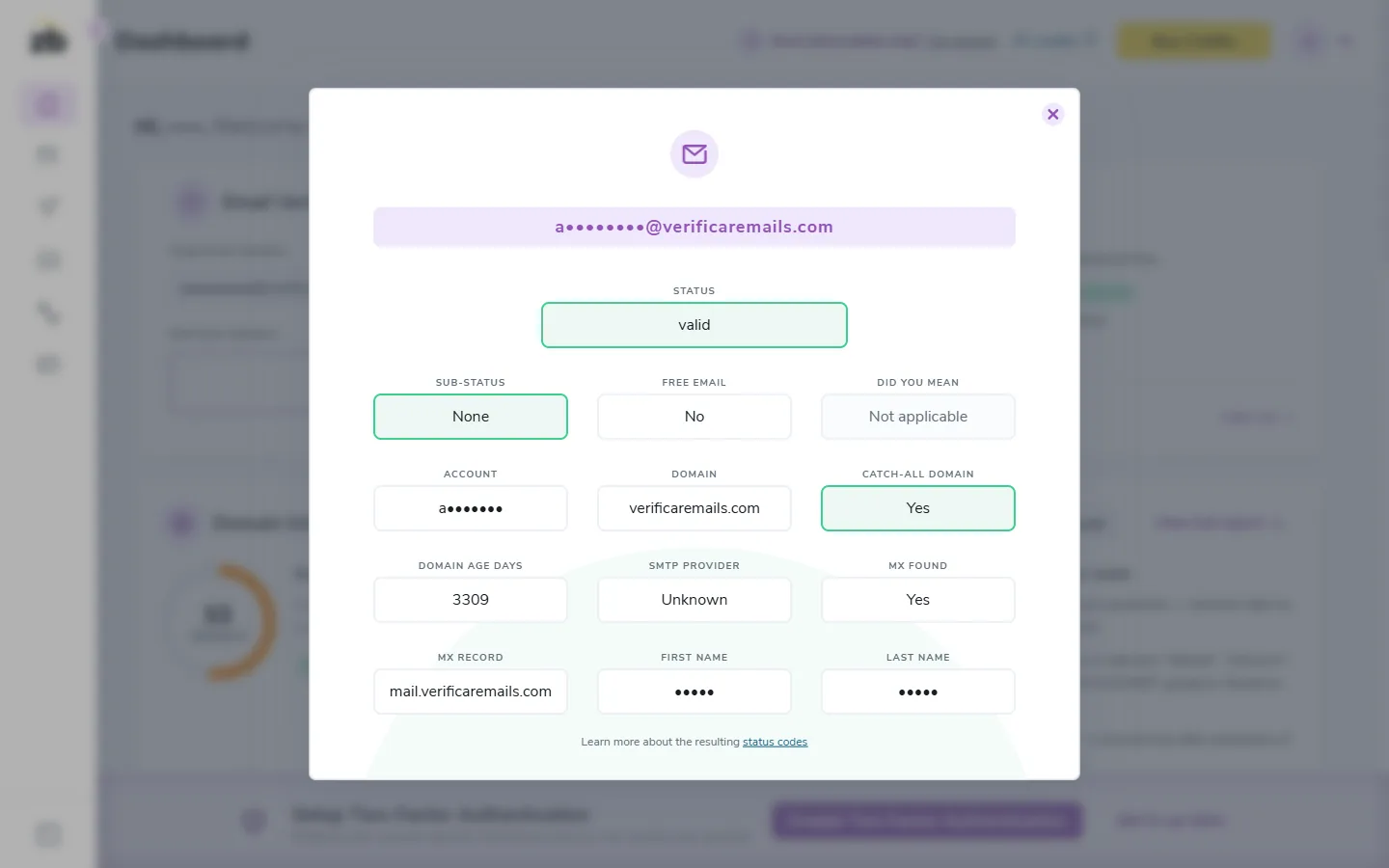
| Corporate mailbox on a catch-all domain | ok_for_all: catch-all, inconclusive | Catch-all (“Catch-all domain: Yes”, with status valid) |
| Personal Yahoo Spain mailbox | ok_for_all: catch-all, inconclusive | Catch-all (“Catch-all domain: Yes”, with status valid, without Verify+) |
| Practical result | They agree: Gmail is valid, and on the two catch-all domains the mailbox can’t be confirmed | |
| Credits used | 3, one per address (the file used another 3) | 3, one per address |
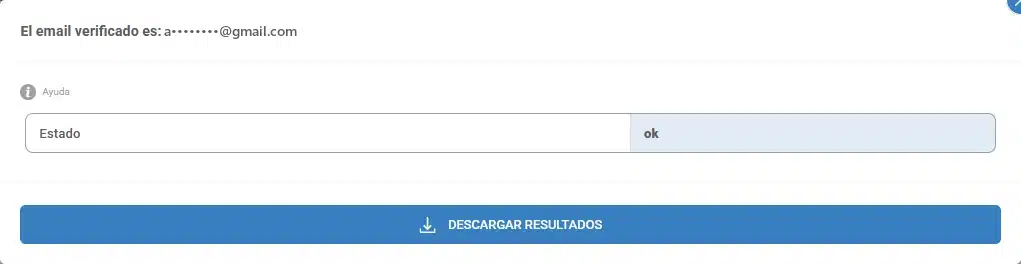
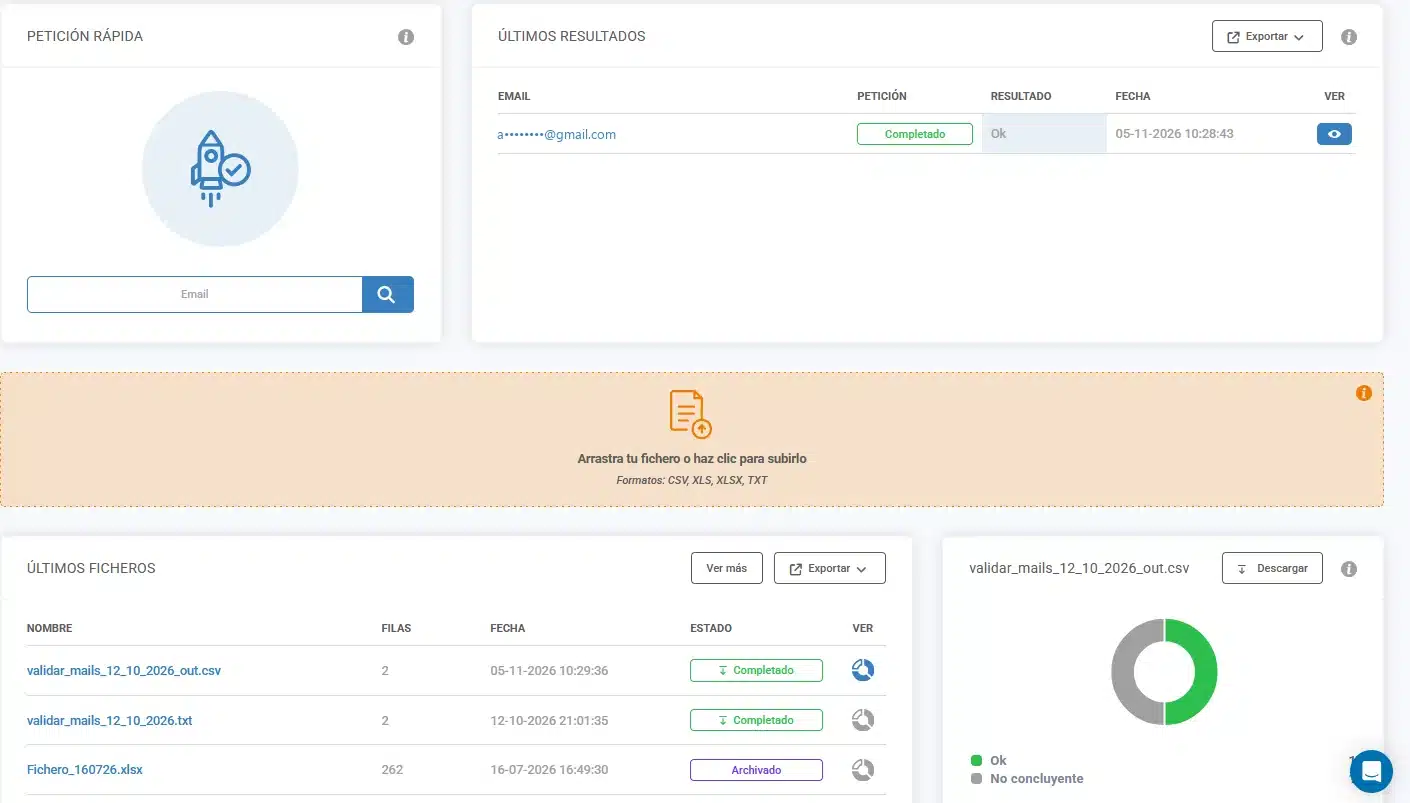
What it means. Both services reach the same conclusion. The Gmail mailbox is valid in both. The other two addresses are on servers that accept any address (catch-all), and both services detect it: an SMTP connection is not enough to know whether the mailbox exists.
ZeroBounce applies the valid label but adds that the domain is catch-all, so in practice it doesn’t confirm the mailbox. VerificarEmails says so directly with the “inconclusive” status. That way you can separate those contacts without checking extra fields, as we explain in how to manage a catch-all email.
Verify+: ZeroBounce asks for permission to send a test email
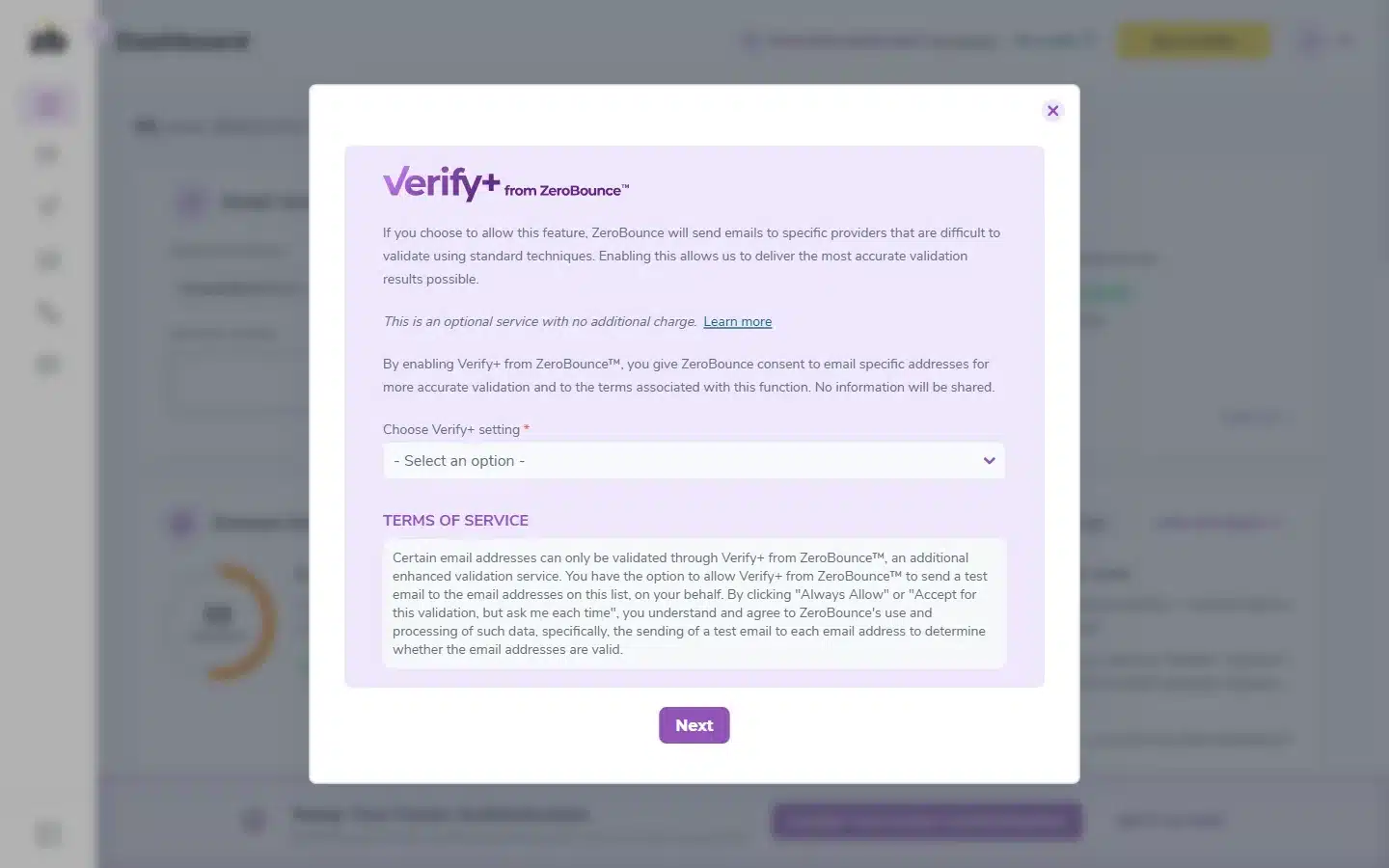
When we verified the Yahoo address, ZeroBounce asked for permission to use Verify+. This feature sends a real email to the address to see whether it bounces, and ZeroBounce uses it with hard-to-validate providers and catch-all domains.
It was not enabled in our account. It offers four options: always allow (the recommended one), allow just this time, don’t allow this time, or never allow. We declined, and the result still flagged the domain as catch-all.
Before enabling it, bear in mind that ZeroBounce will write to your contacts on your behalf, something many of them haven’t asked for. Check whether your legal basis for processing that data covers it. VerificarEmails doesn’t send emails to your contacts to verify them.
File verification
In VerificarEmails we uploaded the same three addresses in a CSV with a header row. The header was not charged, the process took 22 seconds and the results matched the single verification.
According to its documentation, ZeroBounce accepts TXT, XLS, XLSX and CSV files, as well as Drive, Dropbox, S3 and SFTP. It returns a ZIP with one file per status and doesn’t charge for the duplicates it removes.
Both delete files after 30 days.
Statuses: what each one calls each result
| Situation | ZeroBounce | VerificarEmails |
|---|---|---|
| The mailbox exists | valid | ok |
| The mailbox or domain doesn’t exist | invalid (mailbox_not_found, no_dns_entries…) | fail (in files: unknown_email, domain_error…) |
| Incorrect syntax | invalid / failed_syntax_check | incorrect (in files: syntax_error) |
| The server accepts any address | catch-all, or valid if the domain is on its list of domains that deliver | ok_for_all / accept_all (inconclusive) |
| Couldn’t be checked | unknown (not charged) | unknown (charged) |
| Disposable email | do_not_mail / disposable | disposable |
| Role account (info@, sales@) | do_not_mail / role_based | Included in fail in the single-check API |
| Spam trap | spamtrap | spam_traps |
| Typo in the domain | did_you_mean with the suggestion | Not documented |
If you are going to work with spam traps or role addresses, note that ZeroBounce breaks down the reasons in more detail in its sub-statuses.
Pricing at equivalent volumes
We compare the cost of verifying exactly each volume with the cheapest option in each model. VerificarEmails sells prepaid packs in euros; ZeroBounce sells individual credits or a monthly subscription (ZeroBounce ONE), in dollars.
| Emails | VerificarEmails | ZeroBounce, pay-as-you-go | ZeroBounce ONE, monthly |
|---|---|---|---|
| 1,000 | €8 | $39 ≈ €34.78 (minimum purchase of 2,000) | $99 ≈ €88.28/month (minimum 10,000 a month) |
| 10,000 | €65 | $129 ≈ €115.03 | $99 ≈ €88.28/month |
| 50,000 | €195 | $499 ≈ €444.98 | $379 ≈ €337.97/month |
| 100,000 | €345 | $649 ≈ €578.74 | $449 ≈ €400.39/month |
- ZeroBounce annual subscription: $79, $303 and $359 a month for 10,000, 50,000 and 100,000 credits, with a 12-month commitment.
- Expiry: VerificarEmails packs last a year and renew if you top up the same service within that year. ZeroBounce’s pricing page says its credits don’t expire. However, its terms set an expiry of two years from the last purchase for accounts created from 1 June 2026.
- Unknowns: ZeroBounce doesn’t charge for
unknownresults or duplicates. VerificarEmails deducts one credit per record, whatever the result. Even after discounting all unknowns, VerificarEmails is still cheaper at all four volumes. - Free credits: ZeroBounce gives 100 verifications a month if you sign up with a business domain. VerificarEmails gives test credits when you create your account.
All packs are listed on the VerificarEmails pricing page.
API, integrations and MCP
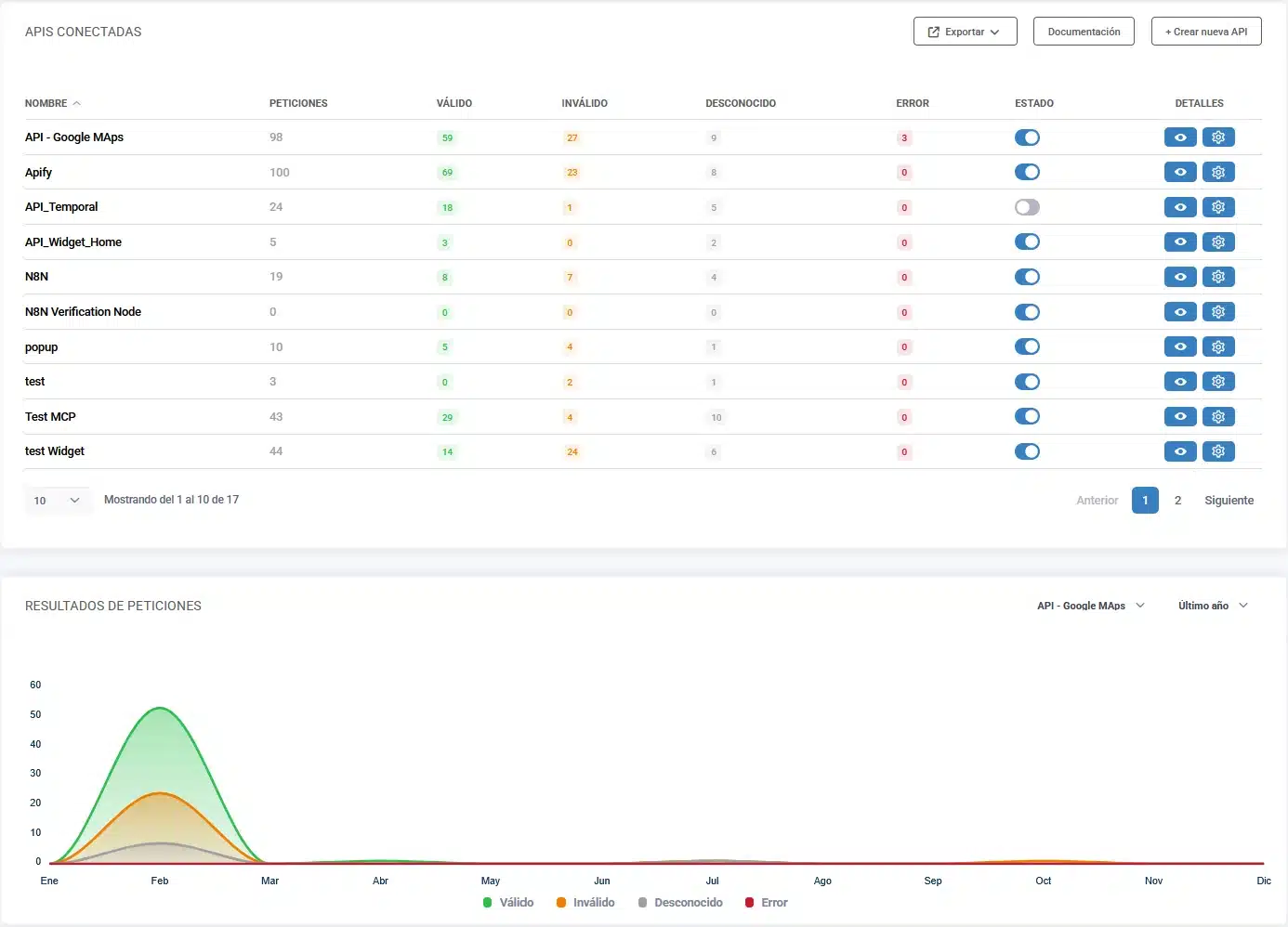
API. Both offer real-time and file verification, with a notification when the job finishes.
- ZeroBounce has a real-time batch endpoint, a European host (
api-eu) and official SDKs for more than ten languages. - VerificarEmails uses API keys that you can cap with a total and a per-minute limit from the dashboard. Its documentation includes examples in PHP, Python, Ruby, C# and Node. Everything is on the email validation API page.
Integrations. ZeroBounce advertises 98, including HubSpot, Mailchimp, Klaviyo, Salesforce, Zapier, Make and n8n. VerificarEmails connects with Zapier, with n8n (its own node), with Google Sheets and Excel, with a form widget and with its pop-ups with real-time verification.
MCP (AI assistants). Both have an official MCP server, but they work differently:
- ZeroBounce publishes an open-source server that you install on your computer and authenticate with your API key. The version published on the day we checked exposed 15 tools: single, batch and file verification, scoring and balance.
- VerificarEmails offers a remote server that you connect to with your account (OAuth), with nothing to install. It exposes 14 tools: email, phone (HLR and portability), names, addresses, file upload, file status, download and balance.
In the test we used the VerificarEmails MCP: it verified the three addresses one by one and by file, and downloaded the result. We did not test the ZeroBounce MCP.
Multi-data verification and the NewsletterSoft workflow
A lead capture form rarely asks for the email alone. With the same VerificarEmails account you can run multi-data verification:
- the email;
- the phone number, with an HLR lookup to find out whether the mobile is active or a portability lookup to find out its current operator (validate phone numbers);
- the first and last name;
- the postal address.
Each service has its own credits. ZeroBounce focuses on email: its documentation doesn’t include phone or address verification.
This is the email workflow in NewsletterSoft (in Spanish): the contact is captured, verified, and then it is decided whether it joins the list and the welcome automation. For each step we say whether it is a native feature or requires the API, MCP or manual work:
| Step | What happens | How |
|---|---|---|
| 1. Capture | A NewsletterSoft pop-up or landing page collects the email, with the field set to be verified. | Native |
| 2. Verify | VerificarEmails checks the address and returns ok, inconclusive or fail. | Native in the pop-up · API /email/validate/single · MCP validate_email |
| 3. Decide the list | ok contacts go to the main list, inconclusive ones to a “review” list or tag, and fail ones are left out. | NewsletterSoft API or MCP (update the contact or add it to a list). Manual: import a filtered CSV. |
| 4. Welcome | An automation is triggered when the form is submitted or the contact joins the list. | Native (“form submitted” and “joined list” triggers) |
Strengths of each
VerificarEmails
- It is cheaper at all four volumes, in euros and with no subscription. At 100,000 emails it costs €345, compared with about €579 at ZeroBounce on pay-as-you-go or about €400 a month with its subscription.
- You buy packs when you need them, valid for a year and renewable when you top up: you don’t pay for months in which you don’t verify anything.
- Catch-alls are flagged as “inconclusive”, without ambiguity, so you can decide what to do with them, and it doesn’t write to your contacts to check them.
- Support by phone, chat and email, and the website, documentation and dashboard are also available in Spanish.
- It is a Spanish company with servers in the EU and a published data processing agreement (more details in GDPR-compliant email verification).
- With the same account it verifies phone numbers (HLR and portability), names and postal addresses, and adds pop-ups with real-time verification.
- Its MCP is remote, with OAuth: you connect it to your AI assistant with nothing to install.
ZeroBounce
- It doesn’t charge for unknown results or duplicates.
- It advertises 98 integrations and SDKs for more than ten languages.
- It publishes certifications such as SOC 2 Type 2 and ISO 27001.
Our recommendation
Choose VerificarEmails if:
- you want the lowest cost per email and to pay only when you clean a list, in euros and with no subscription;
- you need clear results, including on catch-alls, without anyone writing to your contacts;
- you want your data to stay in the EU, with a Spanish company based in Barcelona;
- you also verify phone numbers, names or addresses from your forms.
ZeroBounce may suit you if you already pay a monthly subscription in dollars and need one of its native integrations.
Frequently asked questions
Is ZeroBounce available in Spanish?
No. Its website and documentation are only in English: the old Spanish URLs redirect to the English version. The dashboard we used in the test was also in English. Its support is available 24/7 by chat, email and phone.
Is ZeroBounce more accurate than VerificarEmails with catch-alls?
Not in practice. In our test, both detected the same catch-all domains. ZeroBounce applies the valid label and adds that the domain is catch-all; VerificarEmails flags it directly as “inconclusive”. Neither confirms the mailbox without sending an email, which is what ZeroBounce’s Verify+ does if you give it permission.
Does ZeroBounce charge for unknown emails?
No. ZeroBounce doesn’t charge for unknown results or for the duplicates it removes; every other status, catch-all included, costs one credit. VerificarEmails charges one credit per record, whatever the result.
What is ZeroBounce’s Verify+ and is it enabled by default?
It is an additional check that sends a real email to the address to see whether it bounces. ZeroBounce uses it with hard-to-validate providers and catch-all domains. It was not enabled in our account: it asked for permission the first time it was needed, and you can decline.
How much does it cost to verify 10,000 emails?
At VerificarEmails, €65 in one pack. At ZeroBounce, $129 (≈ €115) on pay-as-you-go or $99 (≈ €88) for one month of the ONE subscription. Prices as of 11 November 2026, excluding tax.
Where is the data processed?
ZeroBounce uses data centers in Frankfurt and New York. Its processing agreement requires you to use its European endpoint to guarantee that data is processed in the EU. VerificarEmails processes data on servers in the European Union.
Can I use them from an AI assistant?
Yes, both have an official MCP server. ZeroBounce’s is installed on your computer and uses your API key. The VerificarEmails one is remote and you connect with your account, with nothing to install.
Methodology, review date and sources
- Date: data and tests from 11 November 2026.
- Sample: three real addresses of our own (Gmail, a catch-all corporate domain and Yahoo Spain). In ZeroBounce, single validation in the dashboard, with a free account. In VerificarEmails, MCP and a CSV file. We did not test non-existent, disposable or role addresses: what we say about them comes from the documentation.
- Prices: each provider’s public pages on that day, without temporary promotions or taxes. For dollars we used the ECB reference rate of 10 November 2026.
- Limits: three addresses don’t measure the accuracy of any service, only how each one behaves. We did not test the ZeroBounce MCP.
ZeroBounce sources: pricing, status codes, Verify+, data retention, GDPR, processing agreement (EU), certifications, integrations, MCP and terms of use.
VerificarEmails sources: pricing, documentation, data processing agreement and MCP.
Looking for other options? See our comparison of the best email verification tools, or our comparisons of NeverBounce and Bouncer with VerificarEmails.