

Comparison prepared by the VerificarEmails team. Because we are comparing our own service with a competitor, we explain how we ran the test and link each data point to its source so you can check it. Reviewed on 11 November 2026.
Short answer
With VerificarEmails you get the same practical result as with Bouncer, and you pay less to clean large lists. In our test with three real addresses, the two agreed on the Gmail mailbox, which is valid, and on the corporate one on a catch-all domain, which neither can confirm. To clean large lists in one go, VerificarEmails is cheaper: €195 for 50,000 emails and €345 for 100,000, in euros and with no subscription.
VerificarEmails is also a Spanish company based in Barcelona that keeps data in the European Union and, with the same account, verifies phone numbers, names and postal addresses as well. Bouncer publishes its prices in dollars.
| Bouncer | VerificarEmails | |
|---|---|---|
| Company | Bouncer Sp. z o.o. (Wrocław, Poland) | Spanish company (Barcelona) |
| Website, documentation and dashboard in Spanish | Partly: Spanish website only partly translated; documentation and dashboard in English | Yes |
| 10,000 emails | $60 ≈ €54 (pay-as-you-go) or $48 ≈ €43/month (subscription) | €65 (pack, no subscription) |
| 100,000 emails | $400 ≈ €357 or $320 ≈ €285/month | €345 |
| Other contact data | Email only (with a separate toxicity analysis) | Email, phone, name and postal address |
| Catch-all domains | Flags them as “Risky” | Flags them as “inconclusive” |
| Where data is processed | EU (AWS, Frankfurt) | Servers in the EU |
| Credit expiry | Don’t expire | 1 year; renewed when you top up |
| Unknown results | Not charged (nor are duplicates) | 1 credit charged per record |
What this article compares
We compare the email address verification of the two services: one by one in the dashboard, by file, via API and from AI assistants (MCP). For each one we review what it checks, what it calls each result, what it charges and how much it costs to clean 1,000, 10,000, 50,000 and 100,000 addresses.
Bouncer’s products that are not verification are out of scope: the Deliverability Kit (inbox placement tests, blacklists, SPF, DKIM and DMARC), company data enrichment and engagement data from your sends. We do cover Bouncer Shield, its form widget, and its toxicity analysis, because they affect which addresses get into your list.
- VerificarEmails suits companies that clean large lists on a one-off basis and want to pay in euros with no subscription. It also suits those who verify phone numbers, names or postal addresses as well as emails, or who want the documentation and dashboard in Spanish.
- Bouncer suits teams that verify a similar volume every month with a subscription in dollars and connect verification to their ESP or CRM without coding.
Hands-on test: three real addresses
We verified the same three real addresses, all our own, in both services:
- a personal Gmail mailbox;
- a corporate mailbox on our own domain configured as catch-all, meaning it accepts any address;
- a personal Yahoo Spain mailbox.
In VerificarEmails we used the MCP server and then a CSV file upload with the same addresses. In Bouncer, the single verification in its dashboard.
| Address | VerificarEmails | Bouncer |
|---|---|---|
| Personal Gmail mailbox | ok (valid) | Deliverable (valid) |
| Corporate mailbox on a catch-all domain | ok_for_all: catch-all, inconclusive | Risky: the domain “accepts all emails” (Accept all: yes) |
| Personal Yahoo Spain mailbox | ok_for_all: domain that accepts everything, inconclusive | Deliverable |
| Credits used | 3, one per address (the file used another 3) | 3, one per address (including the “Risky” one) |
| Practical result | They agree on Gmail (valid) and on the catch-all corporate mailbox, which neither can confirm | |
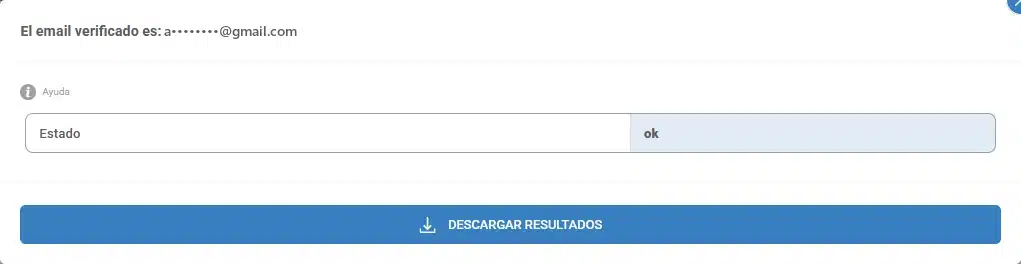
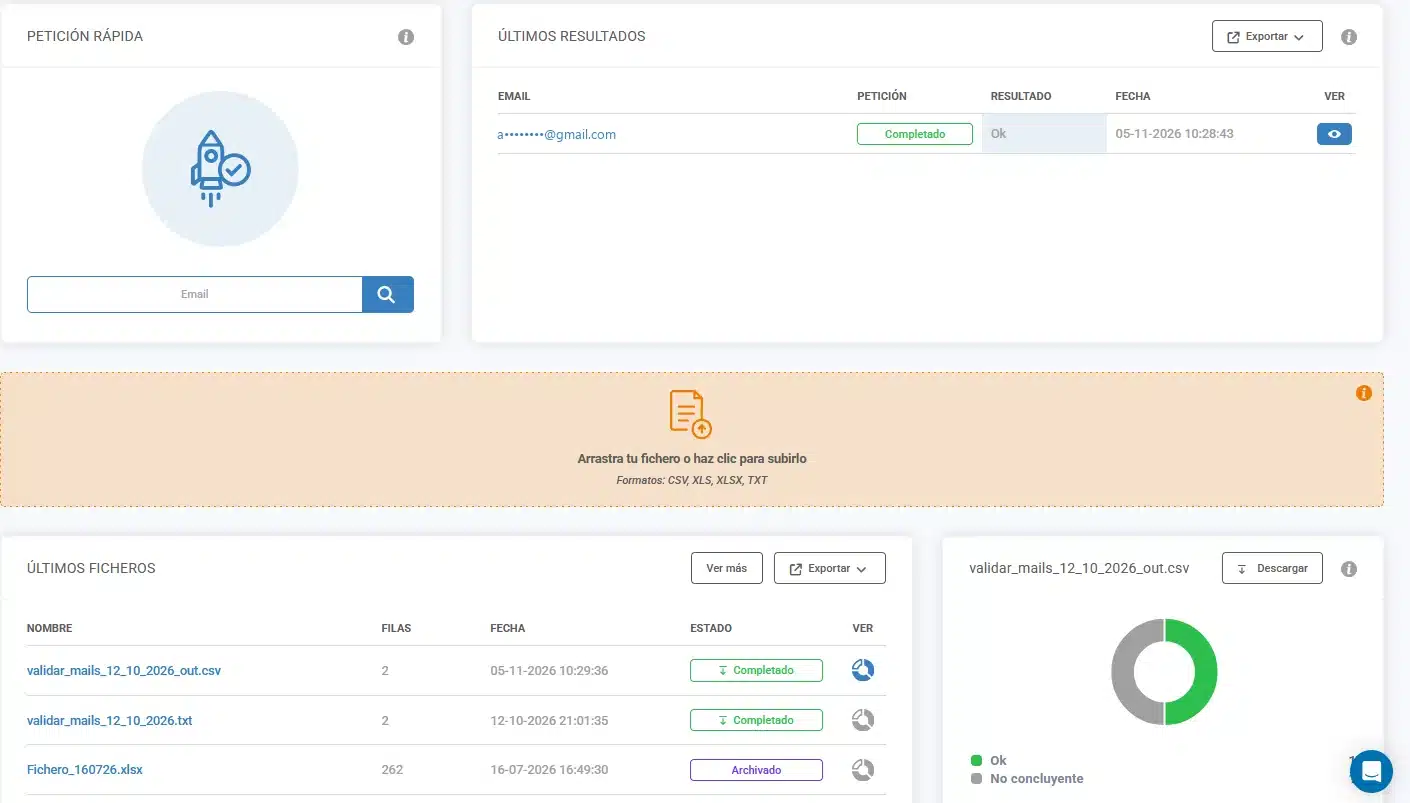
What it means. Where it matters, both services agree. The Gmail mailbox is valid in both. The corporate one is on a domain that accepts any address (catch-all): Bouncer flags it as “Risky” and VerificarEmails as “inconclusive”. Neither can confirm through an SMTP connection that the mailbox exists.
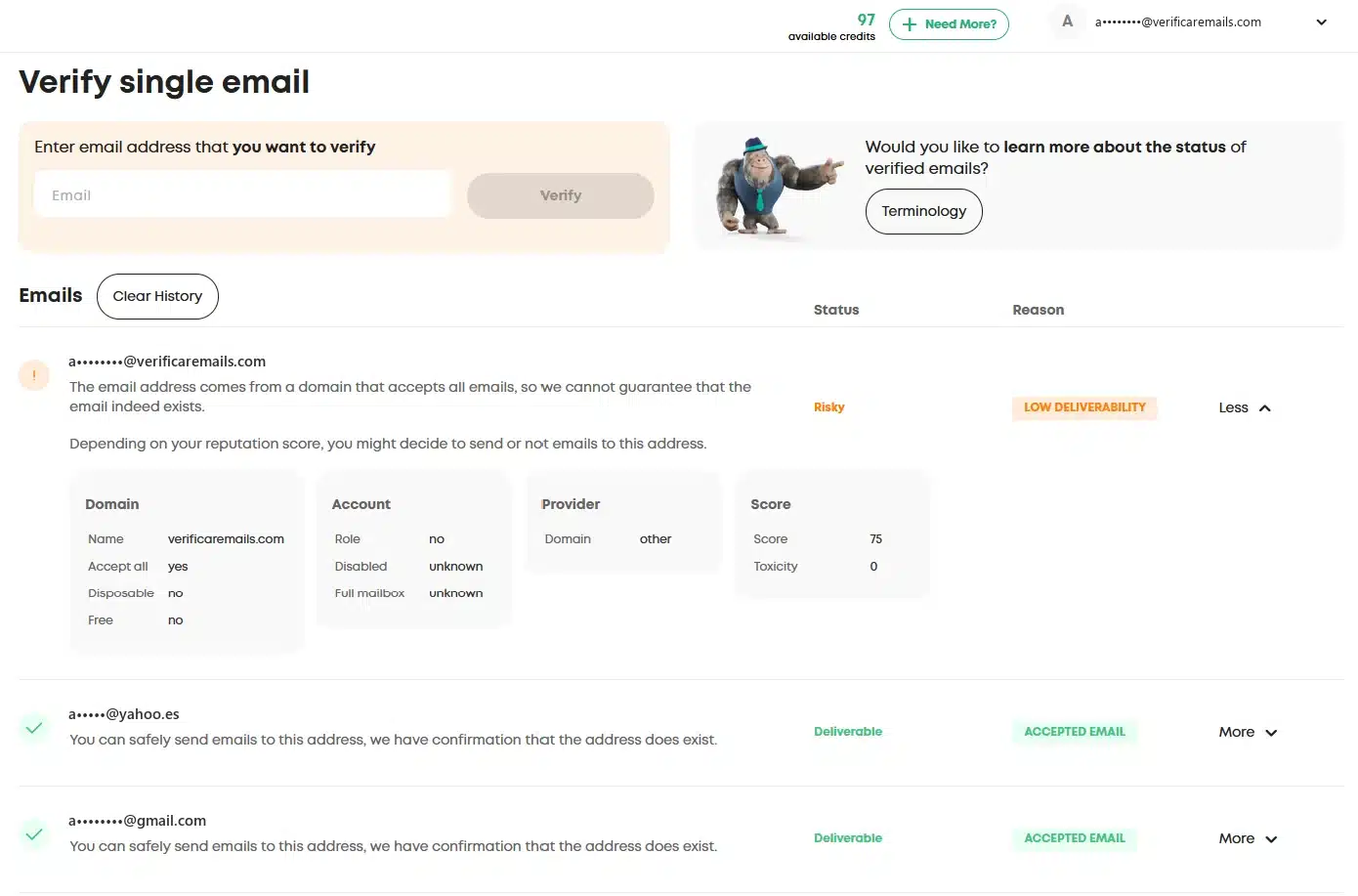
For Yahoo, VerificarEmails reports it as “inconclusive”. ZeroBounce also flags it as a catch-all domain, as we saw in our ZeroBounce comparison; Bouncer rates it as deliverable. With VerificarEmails you know which contacts are not confirmed, and you decide what to do with them, as we explain in how to manage a catch-all email.
Both charged one credit per address, including the one flagged as “Risky” in Bouncer.
File verification
In VerificarEmails we uploaded the same three addresses in a CSV with a header row. The header was not charged, the process took 22 seconds and the results matched the single verification. We explain the process in how to verify emails.
According to its product page, Bouncer accepts CSV, TXT, XLS and XLSX files, although its general FAQ only mentions CSV. Before verifying, it offers a free random sample of the list and an estimate of the bounce rate. It doesn’t charge for the duplicates it finds.
VerificarEmails deletes files after 30 days. Bouncer keeps files and results for up to 60 days and then anonymizes and deletes them; you can delete them earlier via the API. On another page it says that you control the retention period, so it is not entirely clear.
Statuses: what each one calls each result
| Situation | Bouncer | VerificarEmails |
|---|---|---|
| The mailbox exists | deliverable (accepted_email) | ok |
| The mailbox or domain doesn’t exist | undeliverable (rejected_email, invalid_domain) | fail (in files: unknown_email, domain_error…) |
| Incorrect syntax | undeliverable / invalid_email | incorrect (in files: syntax_error) |
| The server accepts any address | risky / low_deliverability with acceptAll; deliverable if the additional verification (Google and Microsoft) confirms the mailbox | ok_for_all / accept_all (inconclusive) |
| Couldn’t be checked | unknown (timeout, unavailable_smtp…), not charged | unknown (charged) |
| Disposable email | disposable flag; usually returns risky / low_quality | disposable |
| Role account (info@, sales@) | role flag; doesn’t change the status | Included in fail in the single-check API |
| Spam trap | Not verified; its Toxicity Check gives a probability | spam_traps |
| Typo in the domain | didYouMean with the suggestion | Not documented |
Bouncer adds to each address a score from 0 to 100 (score), a toxicity level from 0 to 5 and flags such as free (free webmail) or fullMailbox (full mailbox). Its integration guidelines recommend keeping deliverable addresses, deciding case by case on risky ones from catch-all domains, and removing undeliverable ones, those with toxicity 4 or 5, and risky ones with a full mailbox.
Its Toxicity Check is a separate analysis that flags widely circulated, leaked or hacked addresses, addresses of people who file complaints or lawsuits, and possible spam traps. It doesn’t publish its price. VerificarEmails flags spam traps with their own status and, according to its documentation, identifies complaint emails before validating. Both detect disposable emails.
Pricing at equivalent volumes
We compare the cost of verifying exactly each volume with the cheapest option in each model. VerificarEmails sells prepaid packs in euros. Bouncer sells individual credits or a monthly subscription with a 20% discount, in dollars.
| Emails | VerificarEmails | Bouncer, pay-as-you-go | Bouncer, monthly subscription |
|---|---|---|---|
| 1,000 | €8 | $8 ≈ €7.13 | $6 ≈ €5.35/month |
| 10,000 | €65 | $60 ≈ €53.50 | $48 ≈ €42.80/month |
| 50,000 | €195 | $250 ≈ €222.94 | $200 ≈ €178.35/month |
| 100,000 | €345 | $400 ≈ €356.70 | $320 ≈ €285.36/month |
To clean large lists in one go, VerificarEmails is cheaper: at 50,000 emails (about €28 less) and at 100,000 (about €12 less), in euros and with no subscription. At small volumes, Bouncer’s pay-as-you-go costs slightly less (under one euro less at 1,000 and about €11.50 less at 10,000). Its monthly subscription lowers the price per email, but it only pays off if you verify a similar volume every month, not if you clean a list every so often.
- Bouncer subscription: it is monthly, with a 20% discount on pay-as-you-go; it doesn’t publish an annual plan. According to its English FAQ, subscription credits don’t expire either. The FAQ on its Spanish pricing page still explains why there are no monthly plans, even though the page itself shows the subscription.
- Expiry: Bouncer credits don’t expire. VerificarEmails packs last a year and renew if you top up the same service within that year.
- Unknowns and duplicates: Bouncer doesn’t charge for
unknownresults or for duplicates in the list. VerificarEmails deducts one credit per record, whatever the result. In our test there were no unknowns, and both charged the same: one credit per address. - Minimum purchase and free credits: both sell from 1,000 credits. Bouncer gives you 100 when you sign up, but doesn’t let you open an account with a personal email (Gmail, Hotmail) unless you contact them first. Its website allows 5 verifications without signing up, and its API has free test addresses. VerificarEmails gives test credits when you create your account.
- Currency and taxes: Bouncer publishes its prices in dollars, also on its Spanish website. It says it accepts several currencies, but its terms set payment in dollars. It doesn’t publish the final price in euros or including VAT: it only says it will add the applicable taxes. Payment is handled by Paddle (card or PayPal). VerificarEmails charges in euros.
All packs are listed on the VerificarEmails pricing page.
API, integrations and MCP
API. Both offer real-time and batch verification, with a notification when the job finishes.
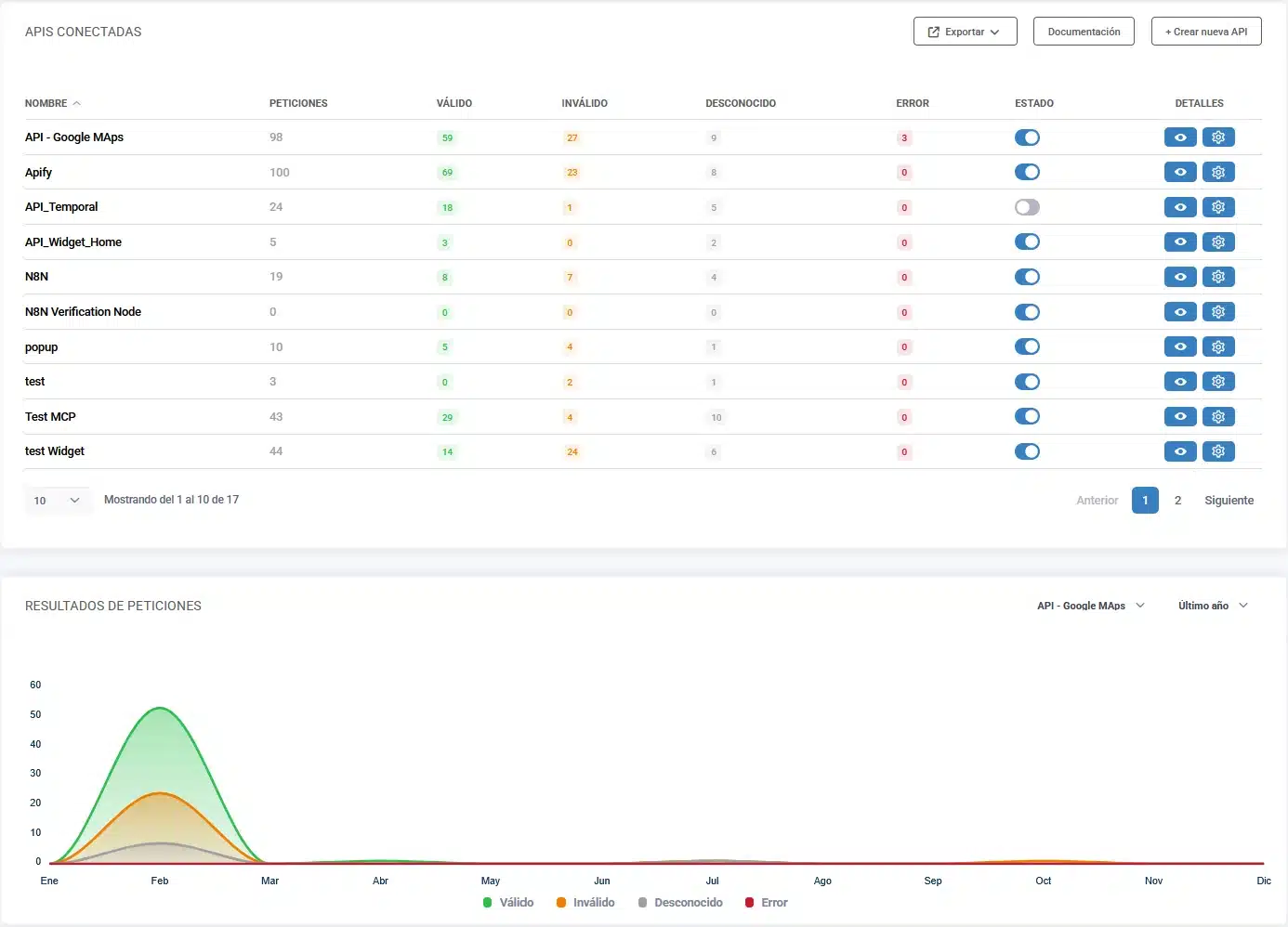
- Bouncer allows 1,000 real-time requests per minute by default and batches of up to 100,000 addresses (its sales page mentions 500,000). It has a synchronous mode for batches of up to 10,000, refunds the credits for anything it hasn’t verified if you close a batch early, and offers free test addresses. Its documentation, only in English, warns that real-time checks usually return 5% more
unknownresults than batches. It only has an official SDK for Java. - VerificarEmails uses API keys that you can cap with a total and a per-minute limit from the dashboard. Its documentation, available in Spanish, includes examples in PHP, Python, Ruby, C# and Node. Everything is on the email validation API page, and for large lists there is also bulk verification via API.
Integrations. Bouncer lists 25 native integrations, including HubSpot, Mailchimp, Klaviyo, Brevo, MailerLite, Pipedrive and Make. With AutoClean it verifies the lists in HubSpot, Klaviyo, Brevo, Mailchimp and other tools on a schedule, although it doesn’t publish the price. Zapier isn’t on its integrations page, and for n8n there is only a community node. VerificarEmails connects with Zapier, with n8n (its own node), with Google Sheets and Excel, with a form widget and with its pop-ups with real-time verification.
Forms. Bouncer Shield is a script you paste into your website that blocks sign-ups by email address and also by IP. It is sold as a separate subscription: $7 a month (≈ €6.24) for 1,000 checks and $25 (≈ €22.29) for 10,000. VerificarEmails offers a configurable JavaScript widget and its pop-ups.
MCP (AI assistants). Both have an official MCP server, remote and with OAuth: you connect with your account without installing anything or pasting API keys.
- Bouncer says its connector is free and uses the account’s credits. Its website lists 9 tools: single verification, small synchronous batches, full batches with their status and results, balance, domain verification and toxicity lists. It has no file upload tool: the assistant reads the CSV you attach and sends it as a batch. It doesn’t publish the server’s code.
- VerificarEmails offers a remote server with 14 tools: email, phone (HLR and portability), names, addresses, file upload, file status, download and balance. It has no synchronous batch tool.
In the test we used the VerificarEmails MCP: it verified the three addresses one by one and by file, and downloaded the result. We have not tested the Bouncer MCP.
Multi-data verification and the NewsletterSoft workflow
A lead capture form rarely asks for the email alone. With the same VerificarEmails account you can run multi-data verification:
- the email;
- the phone number, with an HLR lookup to find out whether the mobile is active or a portability lookup to find out its current operator (validate phone numbers);
- the first and last name;
- the postal address.
Each service has its own credits. Bouncer focuses on email: its products don’t include phone, name or postal address verification.
This is the email workflow in NewsletterSoft (in Spanish): the contact is captured, verified, and then it is decided whether it joins the list and the welcome automation. For each step we say whether it is a native feature or requires the API, MCP or manual work:
| Step | What happens | How |
|---|---|---|
| 1. Capture | A NewsletterSoft pop-up or landing page collects the email, with the field set to be verified. | Native |
| 2. Verify | VerificarEmails checks the address and returns ok, inconclusive or fail. | Native in the pop-up · API /email/validate/single · MCP validate_email |
| 3. Decide the list | ok contacts go to the main list, inconclusive ones to a “review” list or tag, and fail ones are left out. | NewsletterSoft API or MCP (update the contact or add it to a list). Manual: import a filtered CSV. |
| 4. Welcome | An automation is triggered when the form is submitted or the contact joins the list. | Native (“form submitted” and “joined list” triggers) |
If you use Bouncer, step 2 would have to be done with its API, because NewsletterSoft isn’t among its integrations.
Strengths of each
VerificarEmails
- It is cheaper for cleaning large lists in one go: €195 for 50,000 emails, compared with about €223 at Bouncer on pay-as-you-go, and €345 for 100,000, in euros and with no subscription.
- Support by phone, chat and email, and the website, documentation and dashboard are also available in Spanish.
- Catch-alls are flagged as “inconclusive”, without ambiguity, so you can decide what to do with them.
- It is a Spanish company with servers in the EU and a published data processing agreement (more details in GDPR-compliant email verification).
- It flags spam traps with their own status.
- It connects with Zapier and with n8n through its own node, and its remote MCP can upload files.
- With the same account it verifies phone numbers (HLR and portability), names and postal addresses, and adds pop-ups with real-time verification.
Bouncer
- It doesn’t charge for unknown results or duplicates, and its credits don’t expire.
- It offers native integrations with ESPs and CRMs, and a toxicity analysis.
Our recommendation
Choose VerificarEmails if:
- you clean large lists on a one-off basis and want to pay in euros, with no subscription;
- you want clear results, including on catch-alls, and to know which contacts are not confirmed;
- you need your data in the EU, with a Spanish company based in Barcelona;
- you also verify phone numbers, names or addresses from your forms, or work with Zapier or n8n.
Bouncer may suit you if you verify every month with a subscription in dollars and need one of its native integrations.
Frequently asked questions
What is Bouncer (usebouncer)?
It is an email verification service from the Polish company Bouncer Sp. z o.o., based in Wrocław and founded in 2017. Its website is usebouncer.com, which is why many people search for it as “usebouncer”. As well as verifying addresses one by one, by file and via API, it sells a form widget (Bouncer Shield), a toxicity analysis and deliverability tools.
Is Bouncer available in Spanish?
Partly. Its website has a Spanish version, but it mixes in untranslated text and the pricing FAQ is out of date. The API documentation is only in English. Its dashboard is in English, as we saw in the test; its support works by chat, email and video call. VerificarEmails has its website, documentation and dashboard available in Spanish.
How much does Bouncer cost?
On pay-as-you-go, $8 for 1,000 emails, $60 for 10,000, $250 for 50,000 and $400 for 100,000 (about €7, €54, €223 and €357). The monthly subscription costs 20% less. These prices are in dollars and exclude tax, and it doesn’t charge for unknowns or duplicates. At VerificarEmails, the same volumes cost €8, €65, €195 and €345. Prices as of 11 November 2026.
Is Bouncer free?
No, but it gives 100 credits when you sign up with a business email (with a personal one, such as Gmail or Hotmail, you have to contact them first). Its website allows 5 verifications without signing up, and its API has test addresses that don’t use credits. VerificarEmails also gives test credits when you create your account.
Does Bouncer have an API and an MCP?
Yes. Its API lets you verify in real time and in batches of up to 100,000 addresses, and its remote MCP server connects with OAuth from Claude, ChatGPT and other assistants. The VerificarEmails one is also remote and uses OAuth, and it also verifies phone numbers, names and addresses.
What do reviews say about Bouncer?
On G2 it shows 4.8 out of 5 from 337 reviews, according to the search result, because G2 blocked our access to the page. On Trustpilot it has a TrustScore of 3.4 from only 2 reviews. In our test it agreed with VerificarEmails on the Gmail mailbox (valid) and on the catch-all corporate one, which neither confirms.
What are the alternatives to Bouncer?
As well as VerificarEmails, we compared ZeroBounce and NeverBounce. See our ZeroBounce vs VerificarEmails comparison, the NeverBounce vs VerificarEmails one and our roundup of the best email verification tools.
Methodology, review date and sources
- Date: data and tests from 11 November 2026.
- Sample: three real addresses of our own (Gmail, a catch-all corporate domain and Yahoo Spain), verified in VerificarEmails via MCP and a CSV file. In Bouncer, the same three addresses with the single verification in its dashboard. Everything else we say about Bouncer comes from its website and documentation. We did not test non-existent, disposable or role addresses: what we say about them also comes from the documentation.
- Prices: each provider’s public pages on that day (for Bouncer, its calculator in English and in Spanish), without temporary promotions or taxes. For dollars we used the ECB reference rate of 10 November 2026.
- Limits: three addresses don’t measure the accuracy of any service, only how each one behaves. We have not tested the Bouncer MCP.
Bouncer sources: pricing, pricing page in Spanish, email verification, catch-all verification, statuses and reasons, integration guidelines, API documentation, Toxicity Check, FAQ, integrations, AutoClean, Bouncer Shield, MCP, processing agreement, GDPR, SOC 2, terms and conditions, company details, and reviews on G2 and Trustpilot.
VerificarEmails sources: pricing, documentation, data processing agreement and MCP.
Looking for other options? See our comparison of the best email verification tools.