












Well-designed sales email templates make a real difference to your sales results:
- Email marketing generates an ROI of 36:1 during the holiday season, and segmented emails get 100% higher click-through rates than unsegmented emails.
- Countdown timers double conversions, from 3.1% to 6.4%, because they turn “I’ll do it later” into “I need to act now.”
- Personalization multiplies results: personalized subjects have 26% more opens, personalized CTAs convert 202% more, and personalized emails generate 6 times more transactions.
- Stores recover between 3% and 14% of lost sales through automated abandoned cart emails sent at three key moments.
- Free shipping eliminates the main barrier to purchase – 40% of abandonments – being 72% more effective in openings and generating 53.3% more revenue than emails without this offer.
Remember that the key is not to use all the templates at once, but to choose the ones that best fit your audience, your product, and the specific moment. Try different combinations of urgency, exclusivity, and personalization to find out what works best with your customers.
Did you know that nearly 7 out of 10 people abandon their cart without completing the purchase, and close to 96% actively search for discount codes while shopping? The difference between an email that sells and one that no one opens is in the right segmentation and personalization.
In this article, you’ll find 12 email templates tested for sales, from formal emails for VIP customers to flash sales campaigns that generate real urgency.
Seasonal Sale Email Template
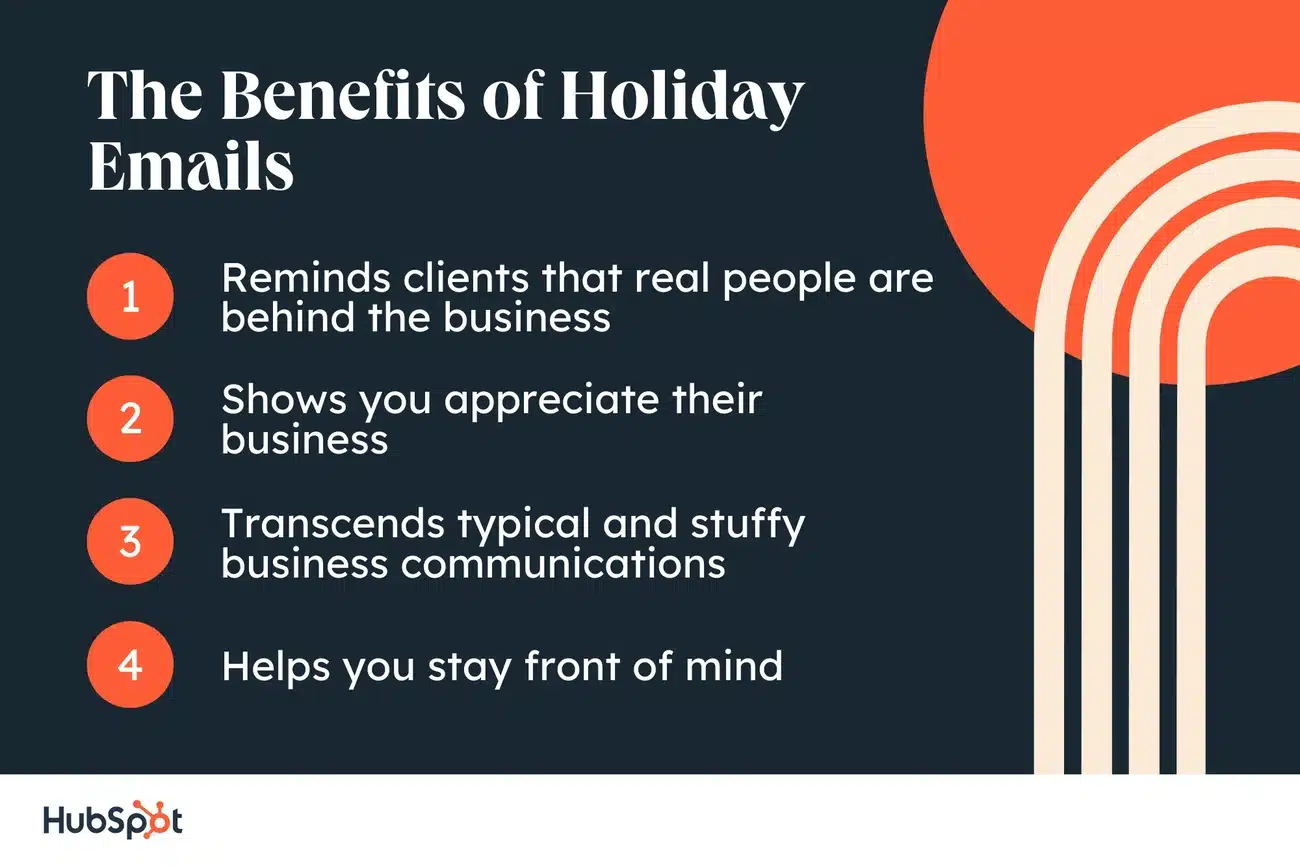
Image Source: HubSpot Blog
Seasonal sale emails take advantage of specific times of the year when your customers are most likely to buy. These templates are built around holidays like Christmas, Valentine’s Day, or seasonal changes, featuring limited-time offers that drive quick action.
Did you know that email marketing generates an ROI of 36:1 during the holiday season? In addition, campaigns that start in October generate up to 35% more conversions than those that start in December. Anticipation, therefore, is key to getting the most out of these shipments.
Key features of the template
The template should reflect the spirit of the holiday for which it is submitted. For Christmas, incorporate festive colors such as red and green. For New Year’s, black and gold work very well, while for Halloween orange and purple are suitable.
Remember that segmented emails get 100% higher click-through rates than unsegmented emails during the holiday season, and personalized offers by segment increase the average order value by 15% to 25%. Emails with personalized subject lines generate 26% higher open rates and 41% higher click-throughs.
Show the savings visually: crossed out price next to the discounted price in bold. This comparison is the strongest motivator in any settlement email.
When to use this template
Use this template for seasonal clearances that free up space for new stock. Winter sales allow you to liquidate seasonal inventory, while seasonal cleanups offer exclusive discounts to deplete last week’s stock.
Seasonal changes create the perfect setting for campaigns that connect with the collective mood of consumers. We recommend scheduling your shipments for Sunday evenings or payday mornings, when purchasing power is most active.
Customization Tips
Recognize the post-holiday moment. Issues that take on the January context are more honest and get more openings than generic promotional text. Adapt the color palette as well: icy blues, silver, or deep forest green work great for winter.
Take advantage of your purchase data. If a subscriber bought winter boots in December, recommend accessories or transitional garments into spring. Dynamic content blocks tailor the message to each contact based on their previous behavior.
Add urgency with time-sensitive language. Phrases like “Offer ends in 24 hours” or “Get it before it sells out” convey that being late can mean missing the opportunity.
Examples of Effective Issues
“Winter sales: up to 70% off” clearly outperforms vague seasonal text. Try short subjects, less than 50 characters, that generate urgency without falling into clickbait. Other options that work: “Bloom like spring with [your product]” or “Are you ready for Back to School?”
Flash Sales Email Template with Countdown
Want to double your conversions with a single visual? A countdown timer in your email template does just that. Emails with timers show conversion rates of 6.4% compared to 3.1% for emails without them, an increase of 106%. This difference directly translates into higher revenues for your business.
Key features of the template
Place the timer at the top of the email, near your call-to-action, to grab immediate attention without the reader having to scroll. Use colors that contrast with your brand palette so that the timer becomes the focal point of the message.
This template combines visual urgency with clear supporting text. Phrases such as “The offer ends in a few hours”, “Last chance to enroll” or “Only a short time left” reinforce what the timer already communicates visually. The ticking clock shows exactly how much time is left, turning “I’ll do it later” into “I need to act now.”
Remember that timers are updated in real time, showing exact hours, minutes and seconds, automatically adjusting to the recipient’s location. This eliminates any confusion with time zones or date formats.
When to use this template
Black Friday and Cyber Monday are the ideal times for this type of email template. Many brands run promotions simultaneously during those days, and a timer helps highlight exactly when your offer expires. It also works perfectly for recovering abandoned carts, visually showing that access to reserved products is about to expire.
For limited-time discounts, we recommend 6-12 hour deadlines. Short deadlines maximize immediacy and prevent your contact from forgetting it. For product launches or pre-sale pricing, the timer converts expectation into sales by creating a clear timeline for action.
Customization Tips
Tools like NiftyImages allow you to create custom animated timers with options to change the background image, font, and colors. Correctly set the end date and time in MM/DD/YYYY format with your precise time zone to avoid errors.
Two important things: set the timer at the beginning of the email and don’t abuse countdowns. Use them sparingly, just as you would with GIFs or emojis.
Examples of Effective Issues
Urgent matters can increase click-through rates by up to 14%. Try these:
- “Hurry up! There are only 2 hours left to get your 50% discount”
- “Don’t miss our flash sale! End tonight”
- “Last Chance: Save 20% on Your Favorite Products”
Tiered Discount Email Template
Tiered discounts are one of the smartest ways to increase average order value. Why? Because they motivate your customers to add more products to the cart to reach the next level of savings. This email template works by offering different percentages depending on purchase behavior: 15% for new visitors or 10% for those who have browsed without buying.
Key features of the template
The structure must clearly communicate the potential savings at each level. An online stationery store, for example, might offer EUR 9.54 off orders over EUR 47.71, EUR 28.63 on orders over EUR 95.42, and EUR 57.25 on orders over EUR 143.13. This progression subtly pushes customers toward higher-value purchases.
It is not a strategy exclusive to a specific sector. Home or art supply stores use it to encourage larger purchases. Coaches with multiple programs or extensive packages can also apply discount tiers to motivate their clients to commit to more comprehensive options.
When to use this template
Use this template when you want to increase the average ticket without sacrificing margin on small purchases. It works especially well with products that customers often buy in tandem, or when you liquidate multiple categories at the same time. Before launching it, analyze your order history to identify the optimal thresholds: they should incentivize additional spending without being unattainable for most of your contacts.
Customization Tips
Create audience segments based on shopping behavior: visitors who have never purchased, or those who purchased more than 180 days ago. Use custom fields to assign unique coupon codes based on segment. We recommend implementing conditional splits in your email flow to send messages tailored to each type of subscriber.
Examples of Effective Issues
Topics such as “The more you spend, the more you save!”, “Your savings grow along with your cart!” or “How much can you save? Find out here!” immediately grab attention and make the benefit clear before opening the email.
Last Units Email Template
“The fear of missing out intensifies upon the perception of its scarcity. When an individual knows that supply for something is limited, such as one-time offers or exclusive products, they are likely to make decisions based on fear instead of the merit or need of the product.” — Shagoon Maurya, Psychotherapist and founder of ursafespace
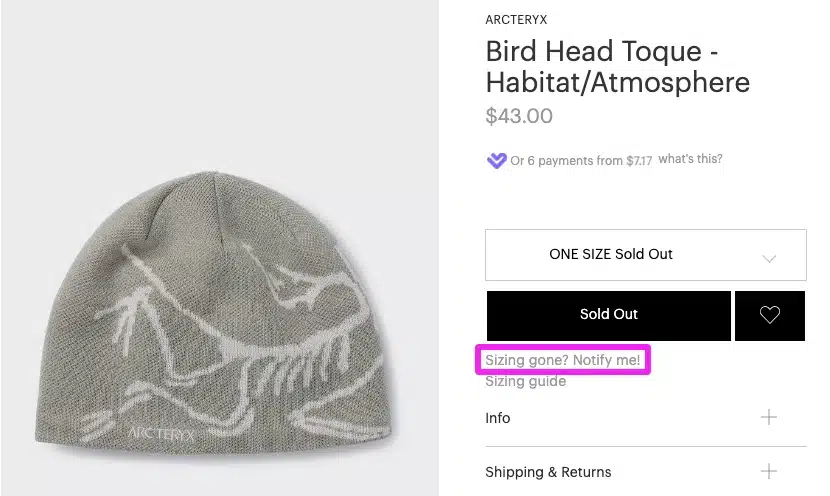
Image Source: Drip
Why do some customers hesitate and others buy right away? The answer lies in scarcity. When your customers know that stock is limited, their decision-making accelerates. Anxiety about the possibility of running out of the product favors the impulse to buy. The fear of missing out, known as FOMO, shows the prospect exactly what they could lose if they don’t act.
Key features of the template
This template dispenses with large blocks of text. Use less text and add useful visual information so that the recipient understands the benefits at a glance. Create attractive banners with visual indication of the discount and product shortage.
The real-time content updates the information about the number of products even after the email has been sent. Displays available stock levels, especially when there are few units left. A banner indicating limited availability perfectly sums up what FOMO represents.
When to use this template
Use this template when specific items are about to run out. It works especially well for popular products with limited inventory or special editions. If the article is limited, include this information directly in the subject line of the email, not just in the body.
Customization Tips
Make the customer understand that such an offer does not come along every day. Limit the action to a specific holiday period and emphasize that the opportunity presents itself, for example, only once a year. Provides real-time stock updates to reinforce urgency as units disappear.
Remember that perceived scarcity has to be real. If you abuse this resource, your subscribers will lose trust in your communications.
Examples of Effective Issues
Karmanow uses “Uh oh – an item you saved is about to sell out!”. Fabletics employs “Hurry, 70% OFF SITEWIDE ends tomorrow.” Other options include “Air Jordan Classic 82: Last Units” or “Last Units from Our Collection on Sale”.
Formal Email Template for VIP Clients
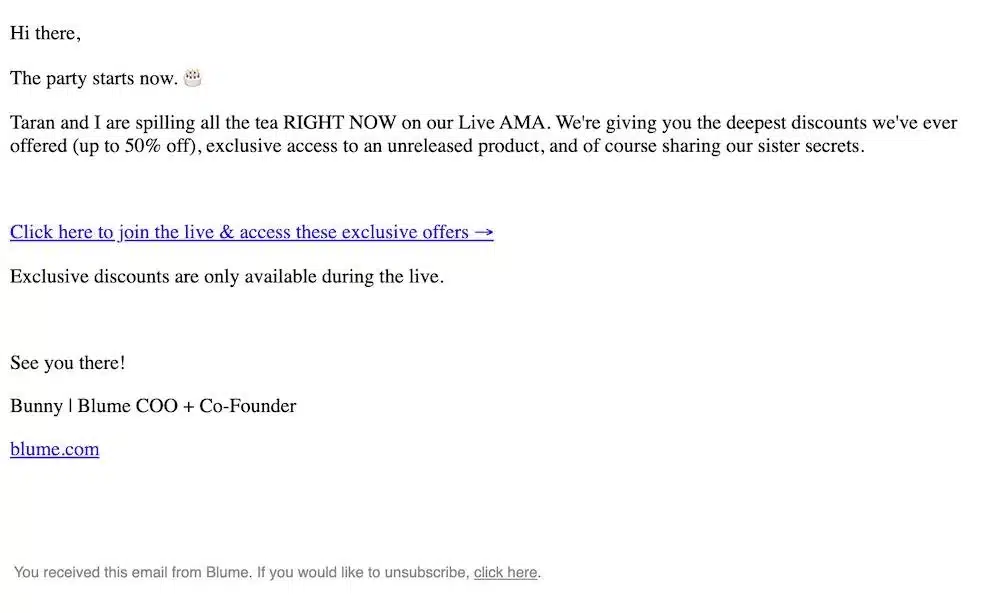
Image Source: Klaviyo
Your most valuable customers expect differentiated treatment. Sales email templates aimed at VIP segments offer additional discounts or the ability to accumulate discounts exclusively. When people perceive that only a limited number can get something, they consider it more valuable. This exclusivity is not accidental, it is a powerful lever that you must use consciously.
Key features of the template
This formal email template communicates privilege from the subject line. The tone must be refined without being distant. Remember that more than 70% of promotional emails are opened on mobile devices, so the design should adapt to small screens with readable text and easy-to-press buttons.
Personalization goes beyond the first name. It uses behavioral, preference, and context data to make each email appear to be created individually. Emails with personalized subject lines are 26% more likely to be opened. The difference between a VIP email and a generic one is precisely there: in the details that show that you know your customer.
When to use this template
Implement these templates to send emails when you identify customers who repeat purchases constantly and frequently engage with your brand. VIP programs usually include several levels: as the customer levels up, they receive greater discounts during sales or free shipping. This type of customer values speed, personalization and exclusivity, with early access to limited launches or products.
Customization Tips
Segment based on purchase history. A VIP customer who purchased premium products in January deserves recommendations for exclusive releases in March. Orchestrate omnichannel campaigns with individual logic, including emails with personalized offers and direct follow-up.
Combine emails with push notifications or SMS, since not everyone checks their inbox daily. If a customer doesn’t open the email within 48 hours, a reminder SMS can make the difference between a closed sale and a missed opportunity.
Examples of Effective Issues
“VIP access: 48 hours before anyone else”, “Exclusive to you: 30% additional on your entire purchase” or “VIP privilege: accumulate discounts only this week” generate a feeling of immediate recognition that your best customers know how to appreciate.
Stock Clearance Email Template
Image Source: Alamy
Emptying the warehouse and generating revenue at the same time doesn’t have to be complicated. Companies turn to liquidation campaigns when faced with product surpluses, supplier changes, short shelf life, or discontinued items. With the right template, stagnant inventory becomes actual cash flow.
Key features of the template
Promotions work best when they are scheduled and have a clear reason behind them, not when they appear as “discount just because”. Your email should explain why you are liquidating: a change of season, the arrival of a new collection or the renewal of the catalog. This transparency builds trust and prevents your customers from perceiving products as defective or of low quality.
The design should have a clear CTA with a single goal: buy now. The more options you include, the fewer clicks you’ll get. Clarify the conditions from the beginning to avoid frustrations later. A simple code with an actual expiration date will allow you to measure exactly how many sales come from that shipment.
When to use this template
Use these templates to send emails when you need to move overages, flawed products, or discontinued items. It also works before vendor changes or catalog renewals that require quick physical space. Remember that campaigns that balance proximity and sales work best: 60% utility and valuable content, 40% offers and calls to action.
Customization Tips
The subject doesn’t need to be witty, it needs to be relevant. For stock liquidations, specific and straightforward works better than big headlines. Avoid excessive capitalization and spammy-sounding words, as they directly affect deliverability. The preheader should complement the issue, not repeat it. Use it to add context or an additional benefit that reinforces the opening reason.
Examples of Effective Issues
“Final liquidation: up to 80% discount while stocks last”, “Last units before collection change” or “Closing prices: discontinued products with maximum discounts” convey honest urgency without unnecessary artifice.
Abandoned Cart Sale Email Template
Almost 7 out of 10 people abandon their cart without completing the purchase. Recovering those lost sales doesn’t require guessing: it requires automation. The abandoned cart email is automatically sent to those who add products to the cart but do not complete the purchase, reminding them for a few days what they left pending. Stores that use this strategy recover between 3% and 14% of lost sales. Not bad for an email that sends itself.
Key features of the template
This template should contain an attractive image or product name, along with a CTA linked directly to the checkout page. Including the user’s name and the specific products they left in their cart generates a closer and more relevant connection.
Remember to also add testimonials, reviews, or social media posts to show that they can trust your brand. It also includes links to shipping and return policies to clarify costs and eliminate any perceived doubts or risks. The fewer barriers the customer encounters, the easier it is for them to come back and complete the purchase.
When to use this template
The optimal sequence works at three specific times:
First email: Send it one hour after abandonment. The design should be simple: product photo, clear CTA, and a reminder text. Nothing more. This is not the time to bombard with information.
Second email: Send it within 24 to 48 hours. Here you can include reviews from other customers to reinforce trust.
Third email: This is the time to offer a real incentive: discount coupons, a limited-time offer, or free shipping. If the first two were not convincing, he usually closes the sale.
Customization Tips
Segment shipments based on customer type or cart value. A €15 cart is not the same as a €300 one; The approach and incentive must be different.
Always optimize for mobile devices, since most of your subscribers check their inbox from their phone. A/B test different versions of the email to identify which approach works best with your specific audience.
Examples of Effective Issues
Issues that generate curiosity or urgency increase the chances of opening. Try “You still have these products waiting for you!” or “Your cart misses you.” Another effective option is “Don’t miss your items in your cart, [Name],” which combines personalization with direct reminder.
Buy One Takes Two Email Template
Buy one, take two (BOGO) offers reward your customers by giving them their second item for free or at a discount. This type of high-value coupon is useful for liquidating surplus inventory, introducing new products by combining them with popular items, or simply increasing sales volume.
Why does it work so well? Because the customer perceives exceptional value even if you continue to maintain a reasonable margin.
Key features of the template
This template must communicate the offer unambiguously from the subject line. If you sell T-shirts that cost you 5 euros to make and offer them at 25 euros, the BOGO discount generates 15 euros for two T-shirts, while your customers feel that they have made a great deal.
The content should be short, precise and concise, clearly explaining the promotion. Add an eye-catching image related to the type of promotion to grab attention immediately. The call to action should be visible, clear, and use colors that contrast with the rest of the content, using verbs like “buy now” or “get your promo code.
When to use this template
E-commerce businesses find BOGO offerings to be very effective at moving inventory quickly and encouraging customers to try new varieties. A tea business that wants to introduce a new herbal blend might text, “Buy one, get one free of our new ‘Serenity’ blend.” Digital content creators could offer to “buy one template pack, get one free” to introduce a new product line quickly.
Remember that this template works especially well when you combine a well-known product with a novelty. The customer is already confident in what they buy and the risk of trying something new is completely eliminated.
Customization Tips
Segment your list based on purchasing behaviors, interests, or geographic location. This segmentation allows you to send more personalized promotions, significantly increasing the conversion rate. Combine popular products with novelties to reduce perceived risk when trying something new.
Use custom fields with the recipient’s name to make the email feel relatable. If you have data on their latest purchases, even better: recommend the second product based on what they already liked.
Examples of Effective Issues
“A free gift, just for you {$name}🎁”, “Two for the price of one – just for today 🎉” or “How about 2x [product], {$name}?” generate immediate curiosity. They are short, direct subjects with a clear hook that invites you to open the email without thinking twice.
Free Sale Shipping Email Template
“Free shipping is no longer a perk but an expectation.” — Scott Churchin, Director of Parcel at Stord
Free shipping is no longer a competitive advantage, it’s an expectation. About 40% of customers abandon their carts due to additional costs like shipping. Removing this barrier is simpler than it seems. Emails that offer free shipping are 72% more effective in terms of open and click-through rates, generating 53.3% more revenue than emails without this offer.
Key features of the template
The free shipping coupon should be the first thing your subscriber sees when they open the email. Place it prominently so that it is impossible to overlook. Use larger fonts, bold text, or bright colors to draw attention to the code.
If the redemption process proves complex, provide clear step-by-step instructions. A direct call to action such as “Click here to apply your discount” will suffice in most cases.
When to use this template
Offering free shipping from a minimum purchase is adequate, but free shipping on any order is even better. This template works perfectly when you want to motivate customers to add more products to the cart to qualify, while simultaneously reducing frustrating abandonment rates.
Remember that this template fits especially well as a third email in an abandoned cart sequence, just when the customer needs that last push to complete their purchase.
Customization Tips
Personalization adds interest to your subject lines. Using each recipient’s name or mentioning their interests makes the email feel like it’s written just for them.
Use words like “Act Now” or “Limited Time Offer” to further encourage them to take action. If you have data about the products they’ve been reviewing, mention it directly along with the free shipping offer. The combination of customization and cost elimination is very hard to ignore.
Examples of Effective Issues
“The shipping is on us! 😉 “, “Free shipping on all orders over [€X]”, or “Did someone say free shipping? 😮 ” immediately grab attention.
If you have any questions about how to set up these automatic shipments, our support team will be happy to help you.
Exclusive Pre-Sales Email Template
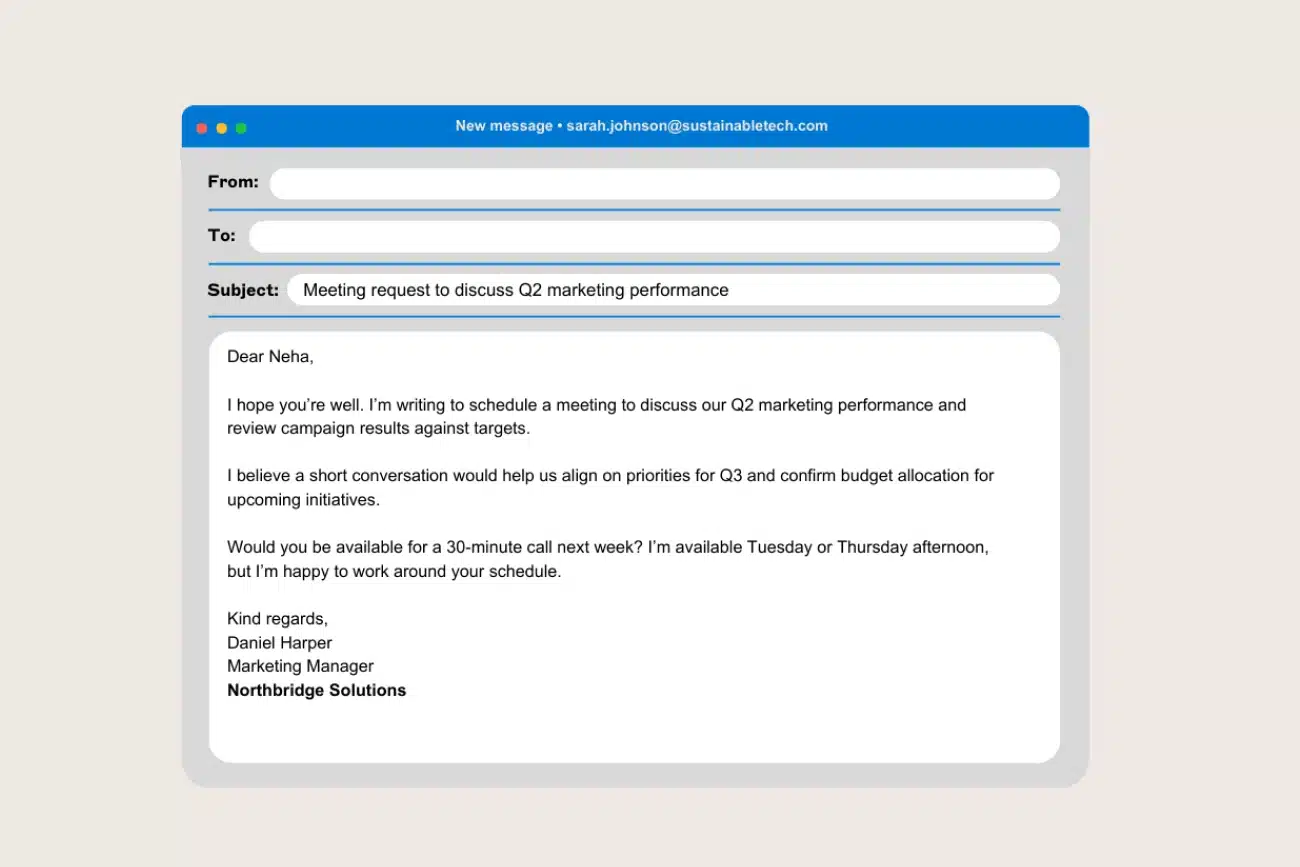
Image Source: Exclaimer
A well-executed presale turns an ordinary sale into an experience your subscribers will remember. Before the general release, your registered contacts can access products with limited quotas for the defined period. Successful presales activate three key emotions in the customer: they feel that they get something special (reward), that they belong to a select group (belonging), and that they may be left out if they don’t act fast (risk of loss). Few combinations are as effective in email marketing.
Key features of the template
This formal email template should make it very clear, both in the subject line and in the content, that the promotion is for subscribers only. That detail makes the difference: it is not a massive offer, it is a privilege for those who already trust your brand. Communicate the exclusive benefit and added value they will get by taking advantage of the offer before anyone else.
Remember that establishing a specific time period is essential. Without a closing date, the urgency disappears and the pre-sale loses its main advantage over a conventional sale.
When to use this template
Use these templates to send emails when you want to reward the loyalty of your registered subscribers. It works especially well for highly anticipated product launches or items that have already proven successful in previous seasons. Also take advantage of key dates such as Black Friday, Christmas or seasonal changes, times when purchase intention is already high.
Customization Tips
Segment your mailing list to tailor promotions according to the preferences and interests of each group of subscribers. We recommend using contextual personalization: consider which pages they’ve visited, what they’ve downloaded, or what stage of the checkout process they’re in. Combining the presale with additional incentives such as exclusive discounts or free shipping multiplies the attractiveness of the offer.
Examples of Effective Issues
To highlight exclusivity at first glance, try subjects like “Just for you: access 48h before anyone else” or “Exclusive pre-sale: pre-order before the official launch”. They are direct, concise, and communicate the benefit bluntly.
Multi-Product Sale Email Template
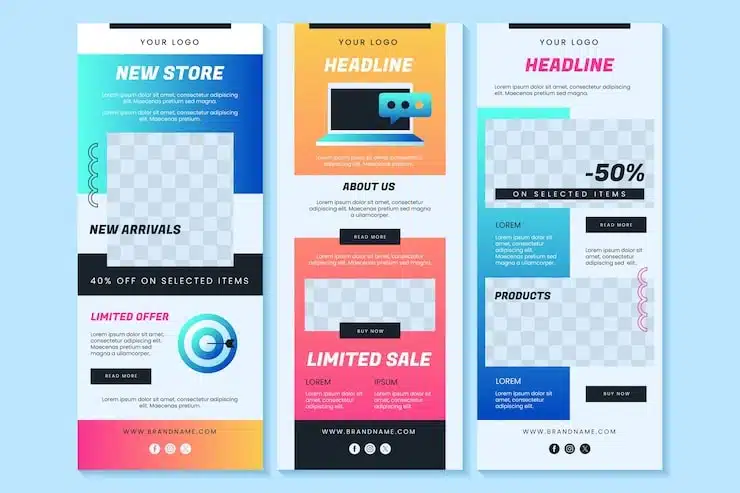
Image Source: Magnific
Displaying multiple discounted products in a single email is one of the most efficient ways to maximize conversion opportunities. This template groups articles by categories or affinity, so that each subscriber finds something relevant without you having to clutter their inbox with multiple mailings.
Key features of the template
Multi-product sale email templates require a clear visual hierarchy that guides the reader to the main CTA. Without that structure, the eye doesn’t know where to go and clicks fall.
Each product section must include:
- Eye-catching image of the item
- Previous price next to the reduced price in bold
- Visible and differentiated buy button
The structure can be grouped by demographic category, such as products for men, women or children, facilitating quick navigation within the same email.
When to use this template
Use this template during extensive sales periods that cover multiple categories simultaneously. It works perfectly for renewing multiple inventory groups at once, or when different segments of your audience have distinct interests that you can satisfy in a single shipment. Instead of sending three different emails to three segments, a single, well-structured email accomplishes the same goal with less friction.
Customization Tips
Dynamic content blocks tailor the displayed products based on each contact’s purchase history. Remember that not all of your subscribers have purchased the same thing or are interested in the same categories.
Segment by preferences or location if you have physical stores. You can also send discounted product proposals that complement recent purchases, which increases the average order value without adding additional discounts.
Examples of Effective Issues
“Sales in all categories: find your perfect discount” or “More than 50 products on sale this week alone” communicate variety immediately and directly.
Last Day of Sales Email Template
! Image
Image Source: HubSpot Blog
Sales have an expiration date, and that last day is an opportunity you can’t miss. Launching an email campaign in the final stretch reminds your subscribers that there are only a few hours left to take advantage of offers or that units of the flagship product are about to sell out. Feelings of limited time create a sense of urgency that attracts many customers at the last minute, especially if you add interactive elements like countdowns.
Key features of the template
This email template should convey a very clear idea: your offer has a limit and that limit is very close. Phrases such as “last days”, “countdown” or “are you going to miss it?” generate a pressing need to obtain the product before it disappears. Remember that deadline issues often lead to a lot of openings because no one wants to lose an offer because they missed out.
When to use this template
Use these templates to send emails just before the sales period comes to an end. It also works for any issue that has a defined deadline, whether it’s to increase registrations for a webinar or to achieve the last sales before closing a promotion. If you have an active countdown, this is the time to remind those who haven’t acted yet.
Customization Tips
Place the most important thing at the beginning of the subject to ensure its visibility regardless of the device from which it is opened. Directly mention the reward for opening the email: the recipient has to understand in two seconds what they lose if they don’t act. Also incorporate the buttons of your main social networks to maximize the reach of the message beyond the inbox.
Examples of Effective Issues
“Tick, tock… Your extra in the Sales is going to expire!”, “Last day to register for our webinar on energy efficiency”, or more direct versions such as “Last day”, “Last notice” and “Last chance” work very well. These are brief, clear, and unobtrusive matters, exactly what you need when time runs out.
Custom Rebate Email Template
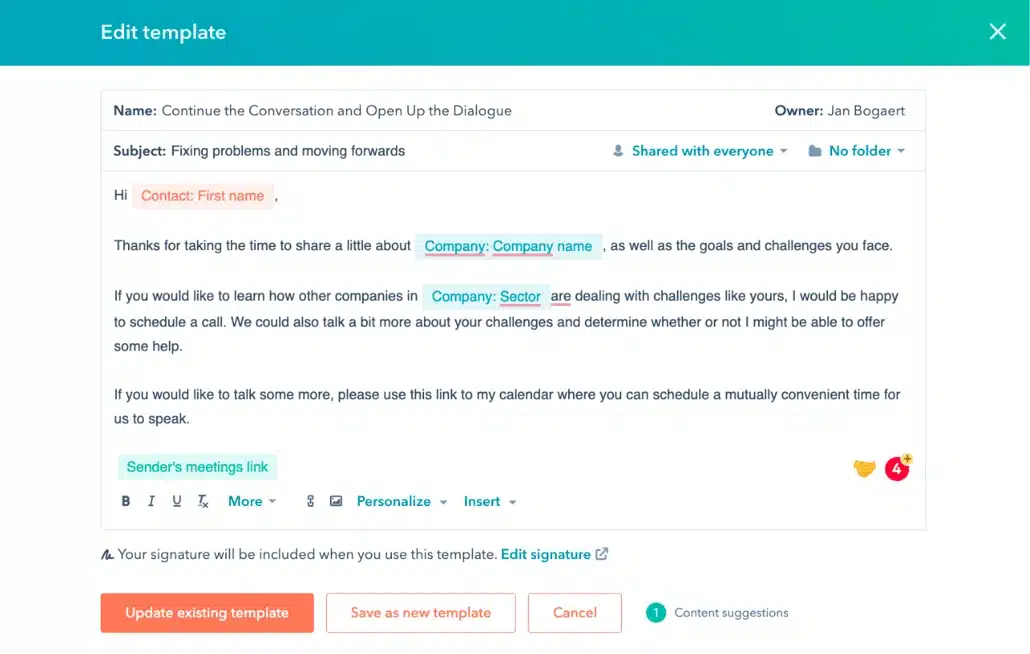
Image Source: HubSpot
What is the difference between an email that is opened and one that goes straight to the trash? Almost always, the answer is personalization. Tailoring the message based on each subscriber’s purchase history, browsing behavior, and individual preferences transforms generic emails into relevant conversations. Nearly 80% of consumers value receiving personalized content, and every subscriber who perceives that the message was designed specifically for them is much more likely to click through and buy.
Key features of the template
This email template uses dynamic fields that insert the recipient’s name, recently viewed products, or categories of interest in real-time. The results are clear: personalized subject lines are 26% more likely to be opened, personalized calls to action convert 202% more than generic ones, and personalized emails provide 6x higher transaction rates.
Remember that personalization is not limited to inserting the name in the subject line. Dynamic content blocks tailor products, images, and offers based on each contact’s previous behavior, making each send seem unique.
When to use this template
Implement this email template after analyzing segments by purchasing behavior, expressed interests, or geographic location. It works particularly well in two specific situations:
- To reactivate inactive customers by offering discounts based on their purchase history
- To recommend complementary products to recent purchases , increasing the average order value
Customization Tips
Step 1: Collect relevant data using streamlined forms and integrations with your CRM.
Step 2: Create dynamic segments that automatically update based on your contacts’ recent activity.
Step 3: Combine the recipient’s name with visual recommendations for products similar to their previous purchases. This seemingly small detail makes a significant difference in conversions.
If you’re unsure how to set up these dynamic segments, our team can help you integrate the process with your shipping platform.
Examples of Effective Issues
“Sara, your favorite products are now on sale”, “Your exclusive discount code is waiting for you” or contextual subjects such as “We leave your favorites saved” generate an immediate connection because each subscriber feels that the message is only for them.
Comparison Table of Email Templates for Sale
Here’s a rundown of the 12 templates. Use it as a quick reference to choose the right one for your campaign objective.
| Template | Main Purpose | Key Features | When to Use | Conversion Rate/ROI | Sample Subject |
| Seasonal Sale | Take advantage of specific times of the year when customers are more willing to buy | Festive design adapted to the season, visual price comparison (crossed out vs discounted), segmentation by behavior | Seasonal Clearances, Holidays Like Christmas or Valentine’s Day, Seasonal Changes | ROI of 36:1 during the festive season; Segmented emails get 100% more clicks | “Winter Sale: Up to 70% Off” |
| Flash Sale with Countdown | Generate immediate urgency through real-time visual timers | Prominent timer near the CTA, real-time update, contrasting colors, 6-12 hour timeframes | Flash sales during Black Friday and Cyber Monday, abandoned cart recovery, product launches | 6.4% conversion rate vs 3.1% without timer (106% increase) | “Hurry up! There are only 2 hours left to get your 50% discount” |
| Tiered Discount | Increase average order value by motivating you to add more products to achieve higher levels of savings | Clear structure of discount levels, different percentages according to behavior, segmentation by purchase history | Increase average ticket, settlement of multiple categories, products that are purchased together | Not mentioned | “The more you spend, the more you save!” |
| Last Units | Accelerate decision-making through inventory shortages | Less text with useful visual information, limited availability banners, real-time content that updates stock levels | Popular products with limited inventory, special editions, items about to sell out | Not mentioned | “Uh oh – an item you saved is about to run out!” |
| Formal Email for VIP Customers | Offer differentiated treatment to the most valuable customers with exclusive or cumulative discounts | Refined tone, advanced behavior-based personalization, mobile optimization (70%+ of mobile opens) | Repeat customers, tiered loyalty programs, early access to launches | Emails with personalized subject lines are 26% more likely to be opened | “VIP access: 48 hours before anyone else” |
| Stock Clearance | Free up warehouse space while generating cash flow | Clear CTA with a single objective, transparency on settlement reason, simple code with actual expiration | Product surpluses, supplier changes, discontinued items, products with short shelf life | Not mentioned | “Final settlement: up to 80% discount while stocks last” |
| Abandoned Cart Sale | Recover lost sales through automated reminders | Abandoned product image, CTA linked to checkout page, testimonials and reviews, clear shipping policies | One hour after abandonment (first email), 24-48 hours (second email), third email with discount coupon | Recover between 3% and 14% of lost sales | “You still have these products waiting for you!” |
| Buy One Takes Two (BOGO) | Liquidate excess inventory and increase sales volume through high perceived value offers | Unambiguous communication of the offer, short and precise content, eye-catching image, visible CTA with contrasting colors | Move inventory quickly, introduce new varieties, combine popular products with novelties | Not mentioned | “A free gift, just for you {$name}🎁” |
| Free Shipping on Sale | Remove the barrier of additional costs that cause cart abandonment | Prominently positioned coupon, large fonts and bold colors, clear redemption instructions | Motivate to add more products to the cart, reduce abandonment due to shipping costs (40% abandonment) | 72% more effective in open and click-through rates; generate 53.3% more revenue | “The shipping is on us! 😉” |
| Exclusive Pre-Sale | Turn sales into an exclusive experience through early access before the general sale | Emphasis on exclusivity for subscribers, specific time period, exclusive benefit clearly communicated | Reward subscriber loyalty, highly anticipated releases, key dates such as Black Friday or Christmas | Not mentioned | “Just for you: access 48 hours before anyone else” |
| Multi-product sale | Maximize conversion opportunities by presenting diverse options in a single email | Clear visual hierarchy, grouping by categories, previous price vs discounted in bold, buy button visible by product | Broad markdowns spanning multiple categories, renewal of multiple inventory groups, audiences with diverse interests | Not mentioned | “Sale in all categories: find your perfect discount” |
| Last Day of Sales | Generate last-minute urgency by remembering that offers are about to end | Time-limit phrases (“last days”, “countdown”), interactive elements such as countdowns, social media buttons | Before the end of the sales period, any issue with a deadline, increase last minute registrations | Not mentioned | “Tick, tock… Your extra in the Sale is going to expire!” |
| Custom Sale | Convert generic emails into relevant conversations by adapting to individual history | Real-time dynamic fields, recommendations based on products viewed, behavioral targeting | Reactivate inactive customers, recommend complementary products, after analyzing segments by behavior | Personalized subjects: 26% more opens; Personalized CTAs: 202% more conversion; Personalized emails: 6x more transactions | “Sara, your favorite products are now on sale” |
Conclusion
The sales email templates you’ve discovered here won’t all generate the same result, and that’s perfectly fine. Certainly, some will work better for your audience than others depending on your industry and product type.
Experiment with different email templates combining urgency, personalization, and segmentation. Timed flash sale emails can work exceptionally well on Black Friday, while personalized VIP emails will strengthen the loyalty of your best customers.
Start by choosing two or three email templates that fit your next sales campaign. Sooner or later you’ll find the perfect combination that skyrockets your conversions.
FAQs
Q1. How can I write an effective email to promote my sales? An effective promotional email should have a clear objective, an engaging subject line that generates curiosity, concise and relevant content, visual design with high-quality images, a clearly communicated offer, elements that generate urgency (such as timers or time-limited phrases), and a visible and direct call to action that motivates the recipient to buy immediately.
Q2. What elements should I include in the subject line of the email to capture the attention of my customers? To capture attention, include personalization elements such as the recipient’s name, generate curiosity through interesting questions, highlight the scarcity or urgency of the offer (such as “last hours” or “limited stock”), mention the direct benefit they will get from opening the email, and keep the subject line short (less than 50 characters) so that it is fully displayed on mobile devices.
Q3. When is the best time to send sale emails during the holiday season? Campaigns starting in October generate up to 35% more conversions than those starting in December. During the holiday season, schedule your shipments for Sunday evenings or payday mornings when purchasing power is fresh. For flash sales, 6-12 hour timeframes maximize urgency without giving customers time to forget the offer.
Q4. How effective are countdown timers in sales emails? Countdown timers are highly effective: emails that include timers show conversion rates of 6.4% compared to 3.1% for emails without them, representing an increase of 106%. These visuals transform the intent of “I’ll do it later” into “I need to act now,” especially when prominently positioned near the call to action.
Q5. How can I recover sales from abandoned carts through email marketing? Implement an automated sequence of three emails: the first one an hour after abandonment with a simple reminder, the second within 24-48 hours including testimonials and customer reviews, and the third offering a discount coupon or free shipping. This strategy recovers between 3% and 14% of lost sales, especially when you personalize content by displaying the specific products they left in the cart.