













Did you know that 7 out of 10 messages are read only because of the subject? Creating effective email examples is much more crucial than you might imagine for your day-to-day productivity.
Writing each email from scratch consumes time that you could spend on more important tasks. A prestigious agency managed to save $150,000 annually simply by optimizing its email communication. In addition, having a professional email address conveys credibility and seriousness to your recipients.
When you use a well-structured email format, you not only project professionalism but also reclaim valuable hours of work. This difference becomes especially evident when you consider that each average job ad receives 250 resumes in response.
A simple message of recognition can significantly impact your team’s productivity and engagement. That’s why having email templates for different situations has become essential for professionals and companies looking for greater efficiency.
In this article, you’ll learn how to create email examples that will allow you to communicate effectively in everyday situations: from formal emails and follow-up messages to thank you emails and appointment confirmations. These templates will help you cut your writing time in half, allowing you to focus on what really matters to grow your business.
Why Using Email Examples Saves Time
Time is your most valuable resource in today’s professional world. Studies show that we waste approximately 25 minutes every time we respond to an email message. In addition, another analysis indicates that 80% of the emails we receive are a real waste of our valuable time. Using pre-built email templates can transform your daily productivity.
Avoid writing from scratch every time
When you use email templates in your regular communications, you avoid composing the same content over and over again. Templates already contain the basic structure and formatting, allowing you to create messages faster and more efficiently. In situations where you frequently repeat the same text, such as contacting potential customers or answering common queries, templates are extremely useful.
Professor Todd Rogers of the Harvard Kennedy School, in his study on effective communication, points out that “with more time I would have written a shorter letter.” This paradox perfectly illustrates why formal email examples save so much time: you write the text only once and reuse it as many times as you need, spending just a few minutes customizing specific details.
Another significant benefit is the reduction of errors. Since templates cover most of the content, you need to fill in less information, which greatly reduces the likelihood of human error.
Improves message consistency
A good example of an email is clear, structured, and courteous, features that save time and bolster your professional credibility. Templates ensure that your messages maintain a consistent and professional appearance in all your communications.
To achieve effective email communication, it is essential to reduce the reading level by:
- Fewer syllables per word
- Shorter sentences
- A simpler grammatical structure
By maintaining a consistent email format, recipients immediately recognize your company’s style, which strengthens the brand image. This is especially valuable in business emails, where consistency conveys reliability and professionalism.
Allows you to automate repetitive tasks
Automation represents perhaps the biggest time saver that email examples offer. A real case clearly demonstrates this: a marketing agency in Bogota that received between 40-50 emails daily implemented an automated system that answered 70% of inquiries, saving 15 hours per week and reducing response time from 4-6 hours to less than 5 minutes.
Modern tools allow you to set up autoresponders for common situations such as:
- Pricing and Availability Inquiries
- Payment confirmations
- Answers to frequently asked questions
- Quote tracking
If you have a workgroup that you frequently exchange emails with, creating a distribution group will help you save considerable time when sending group communications. Likewise, applying the “one-touch rule” to your inbox can recover up to 27 minutes a day, as it avoids rereading emails without processing them.
On the other hand, AI-based email assistants can organize messages, suggest replies, prioritize important emails, and automate tasks such as scheduling meetings. These tools not only streamline communication, but also ensure clarity and consistency in various professional interactions.
Optimizing email campaigns using pre-built examples can generate a return of up to $45 for every $1 spent, making this practice one of the most cost-effective strategies for businesses of all sizes.
Example 1: Formal welcome email
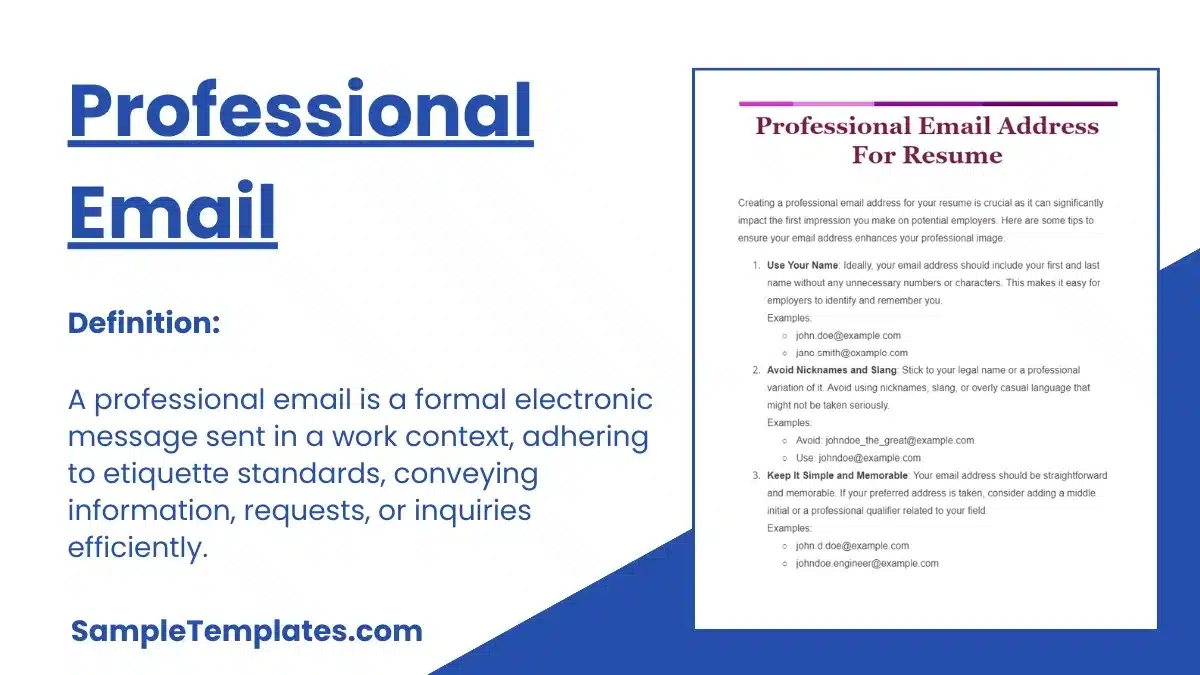
Image Source: Sample Templates
The first professional contacts set the tone for any future relationship. A formal welcome email represents the first message your new subscribers, customers, or employees receive after their first interaction with you. The importance of this type of communication is undeniable, considering that welcome emails have four times the open rate and five times the click-through rate than regular emails.
When to use it
The perfect time to send your welcome email is immediately after someone takes a meaningful action. Think about these scenarios: when someone subscribes to your newsletter, makes their first purchase, confirms a registration on your platform, or when a new employee accepts a job offer.
Remember that speed matters. If they don’t get a response quickly, they might think something went wrong. Prospects are most receptive right after they hit the “Subscribe” button, so take advantage of that moment of maximum attention.
Recommended email format
For your welcome email to be effective, we recommend including these key elements. The subject line must be attractive, as it is decisive for 47% of people to decide to read your message. Examples that work well are “Welcome to the [Name] family” or “Welcome to [Company]. Ready to collaborate?”
The personalized greeting can increase the open rate by up to 20%, so always use the recipient’s name. Include a clear presentation of your brand, define expectations for future communications, add a specific call to action, and keep visuals consistent with your corporate identity.
An important tip: limit links to a maximum of three useful resources such as FAQs or basic manuals to avoid confusing the recipient.
Example of a formal email
Below, you will find a format that you can adapt according to your professional needs:
Subject: Welcome to [Company Name] – Important Information
Dear [Recipient’s Name],
Congratulations and welcome to our team! We are happy to confirm your successful registration as a [subscriber/customer/member type].
At [Company Name] we are dedicated to [brief description of your core business or value]. Over the next few days, you’ll receive valuable information on how to get the most out of our [products/services/resources].
To get started, we recommend:
- Explore our basic resources section
- Complete your profile for a personalized experience
- Check out our FAQs
If you need assistance, you can contact us at [contact email].
Sincerely, [Your Name] [Your Title] [Company Name]
Example 2: Professional Follow-Up Email
Have you noticed that many important conversations go unanswered? Email follow-up is a critical tool that can completely change your professional results. According to recent studies, follow-up messages significantly increase the odds of getting a response, with up to 60% of prospects saying no four times before committing.
Ideal for clients or candidates
We recommend using follow-up emails in two main scenarios that we’ve found to work best. First, they’re great for keeping in touch with potential customers after a first interaction. When a customer shows initial interest but doesn’t move on to the next step, a well-structured follow-up email example can reactivate that conversation.
They are also equally valuable in job selection processes. After an interview, sending a proper email format demonstrates your professionalism and genuine interest in the position. A study indicates that candidates who send follow-up emails are up to 20% more likely to advance in the selection process.
How to Maintain the Right Tone
For your formal follow-up email example to be truly effective, you need to take special care of the tone and structure. Remember that it is important to be clear and concise, avoiding unnecessary information and focusing on the main objective.
When composing your message, we recommend that you follow these points:
- Always personalize using the recipient’s name
- Keep a professional yet approachable tone
- Briefly recall the context of the previous contact
- Propose concrete actions and defined deadlines
- Makes it easy to answer with specific questions
Remember that a crucial aspect is to limit the number of follow-ups. Do not send more than 2-3 emails if you do not receive a response, as you could seem insistent and generate the opposite effect.
Email Example for Follow-Up
Here’s an example of an effective follow-up email that you can tailor to your needs:
Subject: Additional information on [specific topic discussed]
Dear [Name],
I hope he is well. I am writing to follow up our conversation on [date] on [topic/product/service]. As we discussed, [brief reminder of the main point].
I have prepared additional information that responds to the concerns you raised about [specific point]. You can consult it in the attached document.
Could we schedule a short call next [day] to resolve any outstanding questions? I am available at the following times:
- [Option 1]
- [Option 2]
I remain attentive to your comments.
Best regards, [Your name] [Your position] [Contact details]
Example 3: Thank you email for meeting or interview
After an important meeting or job interview, a well-written thank you email can make all the difference in your career path. This seemingly simple gesture has a considerable impact on how others perceive you on a professional level.
Importance of the thank you email
A thank you email goes far beyond being a simple courtesy message. Its main purpose is to express gratitude to those who took the time to receive you, whether it was in a business meeting or a job interview. While it may seem like a basic thing, surprisingly few candidates or companies send these messages, allowing you to stand out right away.
Companies strategically use these emails to strengthen personal relationships with customers and humanize their brand. A well-structured and personalized email has practically the same impact as thanking in person. In addition, receiving recognition can significantly increase any employee’s self-esteem, motivation, and productivity.
Business Email Example
Subject: Thank you for our meeting on [specific date]
Dear [Name],
I want to sincerely thank you for the time spent during our meeting. I especially valued our conversation about [mentions a specific point discussed].
I have reflected on the points discussed and I am excited about the possibility of [mention next step or collaboration]. As we commented, [brief summary of some key points].
If you need additional information, I remain at your disposal.
Sincerely, [Your Full Name] [Contact Details]
Common mistakes to avoid
When composing a thank you email, you should avoid certain mistakes that can ruin your professional image. Mainly, don’t send the email too early (the same day) or too late (when a decision has already been made). The ideal time is within 24 hours of the match.
Equally important is not to use generic content. An email without personalization seems insincere and lessens its impact. Keep your message concise and to the point, as busy hiring managers will appreciate the brevity.
Other common mistakes include:
- Request favors or make additional requests
- Including too many unnecessary details
- Making typos or grammatical errors
- Show desperation or exaggerate praise
A well-crafted thank you email demonstrates your professionalism, reinforces interest in the position, and keeps you top of mind with the hiring team.
Example 4: Email to confirm an appointment or session
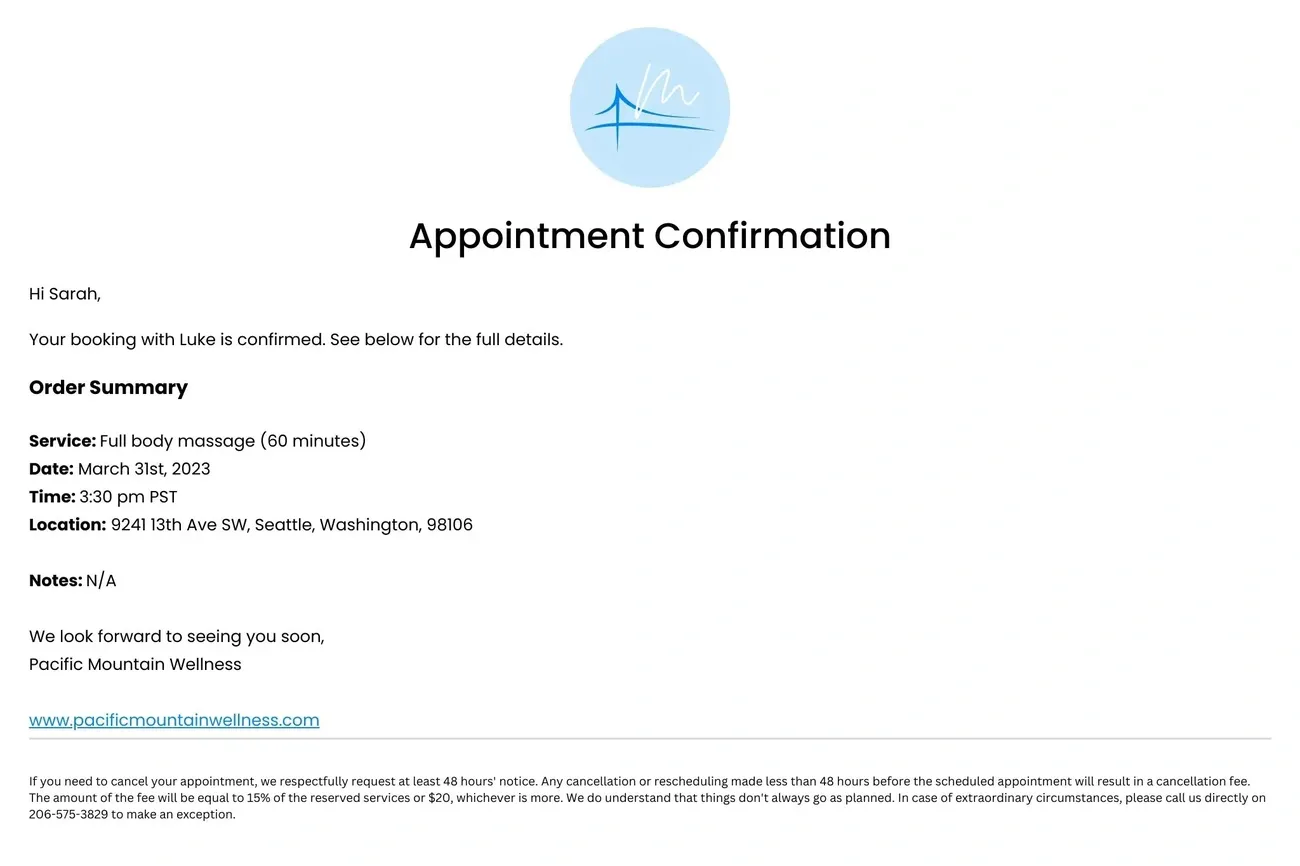
Image Source: MarketBox
Timely confirmation of an appointment can make all the difference in your professional image. A confirmation email is not simply a receipt, but an essential guide for the attendee or client, providing all the necessary information about the scheduled event or meeting.
What to include in your message
An example of an effective confirmation email should be clear, concise, and actionable, answering all of the recipient’s immediate questions. We recommend including these essentials:
- Date, time, and meeting location or link, with complete and accurate information
- Thank you and clear confirmation of the reason for the appointment
- Specific instructions on any necessary preparation
- Alternative contact information for last-minute inquiries
- Options to reschedule or cancel if needed
Remember that you can include a link to add the appointment to the recipient’s calendar, which significantly reduces no-shows.
Recommended format for confirmation
To get started, use a direct subject line like “Confirmation of your appointment for [event name]” or “Your meeting is confirmed: [date].” The body of the message should maintain a professional but close tone, adapted to your brand.
We recommend you follow this structure: personalized greeting, immediate confirmation, essential logistical details, additional instructions if applicable, and finally a cordial farewell with your contact details.
Email template for confirmation
Subject: Confirmation: Your appointment from 20/01/2026 at 15:00h
Hi [Name],
I confirm our scheduled appointment for Thursday, January 20, 2026 at 3:00 p.m. at [location/link].
Summary of your booking:
- Type: [Meeting/Service Type]
- Duration: [Estimated duration]
- Contact: [Phone/email for inquiries]
If you need to modify or cancel, you can reply to this email or contact me at [phone number].
See you soon!
[Your name]
Conclusion
Using well-structured email templates has become an essential practice for professionals looking to maximize their productivity. These pre-built tools not only reclaim valuable hours of work, but also ensure more effective and consistent communications.
The templates we’ve analyzed for everyday situations such as welcomes, follow-ups, thanks, and confirmations will allow you to significantly reduce the time spent composing messages. This optimization translates into less stress and more focus on the activities that really drive your business.
What are the main benefits? First, you eliminate the need to write from scratch every time. Second, you maintain professional consistency in all your communications. Third, you automate repetitive processes that consume valuable time.
Remember that personalization makes the difference between a generic message and one that generates real connection. Tailor each template based on the target audience and specific context for best results.
To implement these templates in your professional routine, we recommend:
- Create a personal library with the most used templates in your industry
- Customize the examples according to your communication style and brand
- Review and update templates periodically based on results
A well-structured email can transform your daily productivity in surprising ways. Successful companies recognize that effective communication constitutes a real competitive advantage in today’s marketplace.
Are you ready to optimize your email communication? Get started today by implementing these templates in the most common situations. The results in time savings and professionalism will be evident from the first week.
Your inbox will become a strategic tool to boost your professional success, not a source of daily stress.
Remember that there is no point in sending emails to email addresses that do not exist. Use a service to verify email addresses and maximize return on your mailings.
Key Takeaways
Learn how email examples can transform your daily productivity and improve your professional communication:
• Save up to 150 hours annually by using pre-built templates instead of writing each email from scratch • Maintain professional consistency with structured formats that reinforce your brand image and credibility • Automate repetitive responses to reduce response time from hours to minutes on frequently asked queries • Always personalize content by including specific names and relevant context to generate real connection • Send immediate confirmations within the first 24 hours to maximize impact and maintain interest
Welcome emails have 4 times the open rate of regular messages, while a simple follow-up email can increase your chances of success by up to 20%. Implementing these examples not only optimizes your time, but turns your inbox into a strategic tool for professional growth.
FAQs
Q1. How do I create a professional email for work? To create a professional email, choose a suitable domain, use your first and last name, avoid symbols, and consider including words related to your profession. Opt for reliable providers like Gmail or Outlook for credibility.
Q2. What’s the best way to request more work hours via email? When requesting more hours, identify specific busy periods and offer your additional availability. Explain how this would benefit the team and request a conversation to discuss the possibility of increasing your work hours.
Q3. Is it possible to schedule an email to be sent for a specific time? Yes, it is possible to schedule the sending of emails. On most email platforms, you can find the “Schedule Sending” option when composing your message. Select the desired date and time for the email to be sent automatically.
Q4. What elements should I include in an appointment confirmation email? An appointment confirmation email should include the date, time, and location of the meeting, a thank you, specific instructions if needed, alternate contact information, and options to reschedule or cancel. It’s also helpful to include a link to add the appointment to the calendar.
Q5. How much time can I save by using email templates? Using email templates can save up to 150 hours annually. These templates not only reduce writing time, but also improve consistency in communication and allow you to automate responses to frequent queries, significantly optimizing daily productivity.